Thx sorry to ask again: how many lines and Animation Frames can I draw that the Graphits keep an Overall decent Level for CPU operation, battery drain and screen
Looks amazing! I was working on a tape waveform view too. congrats on the features!
1 Like
I have no idea… the answer is probably “it depends”. audio thread has a priority, graphics will just slow down if CPU is overloaded. Without stress test it’s impossible to do an estimation
1 Like
@popcorp Thanks! I saw that I wrote about locators in the OP-1 Field feature request thread in May 2022 
Ps. Your post on reddit yesterday is what triggered me to give it a shot myself.
@popcorp A lot of people are adding things to op1r now, and the Reddit thread says someone has to make a plugin manager. Are you planning one? And would you open up the SDK so we can build add-ons against a shared spec and keep everything unified? Happy to help with docs or testing.
5 Likes
i think, that’s most important topic right now for this little bit chaotic but major “OP-1 unleashed” event…
4 Likes
yes totally I can do that.. so far no one has contacted me, but if anyone does I will be happy to include other modules and create a modular build
5 Likes
@rephazer @popcorp that’s actually what i’ve been building. my mod for 246 is made around a small core that owns every hook into the firmware and hands the events to the mods on top of it, and the system refuses two mods that claim the same key, encoder or spot in the firmware. right now it’s all built into one pack, running on my op-1. what i’m still working on now is the plugin side. mods as
small files you copy to the op-1’s disk, loaded at start-up.
one thing we could sort out, whatever ends up loading the mods, ids. op1r uses fx ids 11-13 and mine overlap. that would mix up effect between the two. a shared list of which ids each mod uses would fix that for everyone i believe. @popcorp what do you say? are you up for it? i could start making it.
6 Likes
Hey guys, Is anyone working on full source reconstruction? 
2 Likes
Are you hundekraft on reddit who just dropped OP–1 / Firmware workshop ?
1 Like
No, I haven’t dropped anything yet, but I will soon. Currently working on a massive modpack + framework called “OPUS”. I’m preparing it to be an unified firmware core others can build their mods on without conflicts.
3 Likes
Funnily enough a full firmware rewrite from the ground up is more plausible/efficient and it’s on my plan too (long-term though, after the core).
wow, can you explain how does this work? the firmware comes with the mods and you can select which one is active?
1 Like
I am working on this too, currently mods are just patches on top of the original fw bytes. Hopefully we can join efforts with everyone interested on recontructing the whole thing. Then we can have mods in minutes lol.
3 Likes
Thanks! Here’s the full picture:
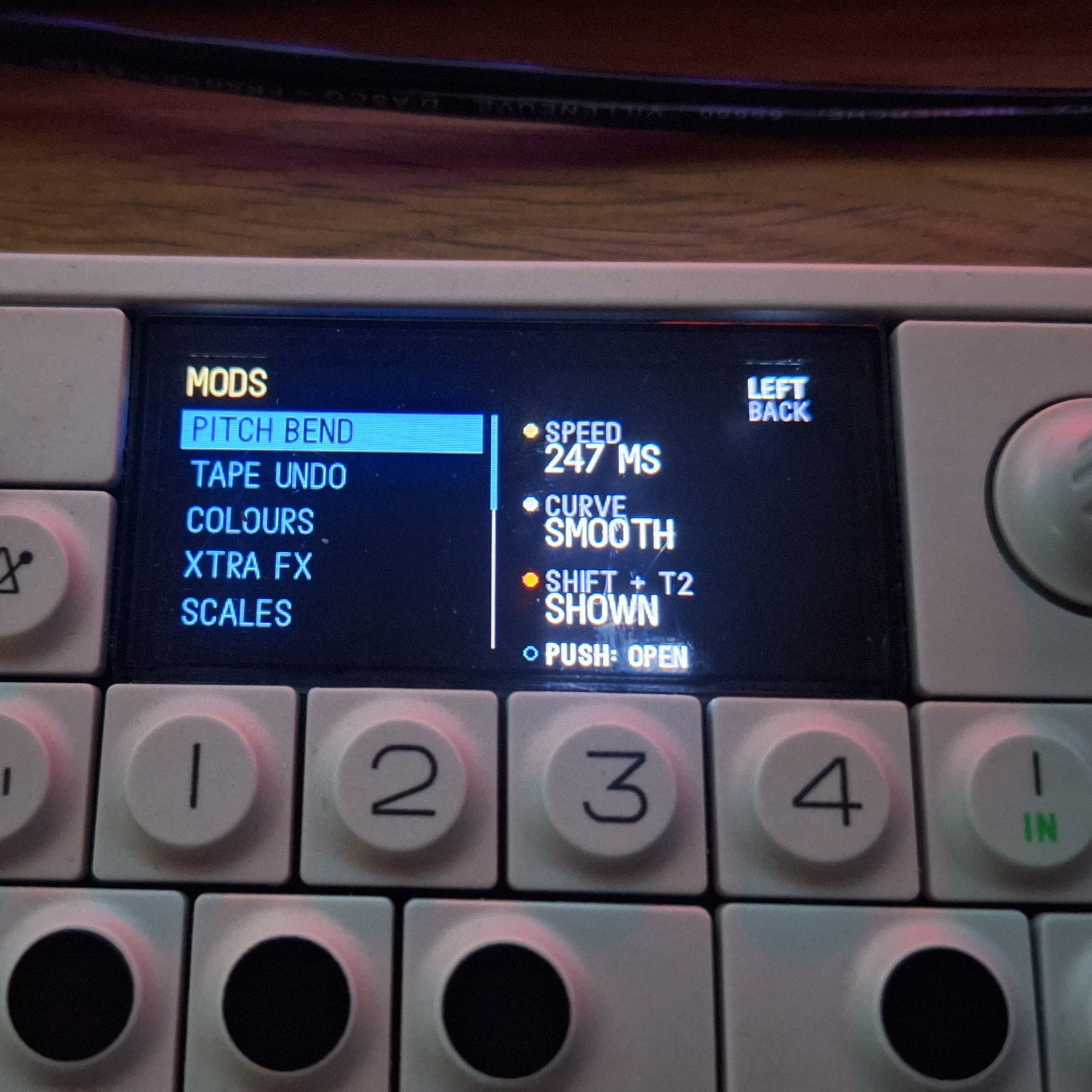
Right now it’s one firmware with all the mods built in. each mod is a part that registers with the Core. its hooks, the keys and encoders it uses and its settings. the Core hands each part the events it needs and the build refuses two parts that claim the same thing. in the menu every mod gets a row with its main settings on the encoders, push opens its page for the rest, and some can be switched on and off right there.
The plugin side is the next step. the Core stays in the firmware and the mods become files on the op-1’s disk that it loads at start-up, so what’s active is what you copy over.
1 Like
so it looks like we have a working 6-channel audio out now
You can also disable track output to save some CPU time..
4 Likes
this would be so nice to have within @popcorp s build or a way to have that all on-device, its crazy really. 6 channel USB audio aswell, maybe it can work with the SP1 tape looper this way (I don’t think it can with a direct connection because neither is a host) but crazy awesome all of this stuff
1 Like
@LizardMan @popcorp @maxaw @rephazer @anyone
what robots are y’all using? i’m using claude opus 5.5 high. i keep running into automatic safety stops at odd times and repeatedly have to backtrack. its incredibly time consuming and annoying af.
i might be taking a different approach than others though, not sure. im starting at a decrypted vanilla 246 and just porting dsp i wrote for max for live and trying to do things as closely to “as if te did it themselves”. i haven’t touched anyone else’s repo with the exception of the decryption repo (i like doing things the hard way, if it can be said to be hard).
i finally got encoder clicks to function to address 8 parameters, and had some success with using dispatcher to “add” effects, but got interrupted by safety checks, so for now i’m still stuck at replacing the filter effect rather than adding a new effect. dsp is legit though and it works as expected
@maxaw i like that cpu readout, i might borrow that concept 
for now, mine is a personal project adding things that i either personally wrote or personally want. i dont mind contributing code if a community “modular” type approach happens though
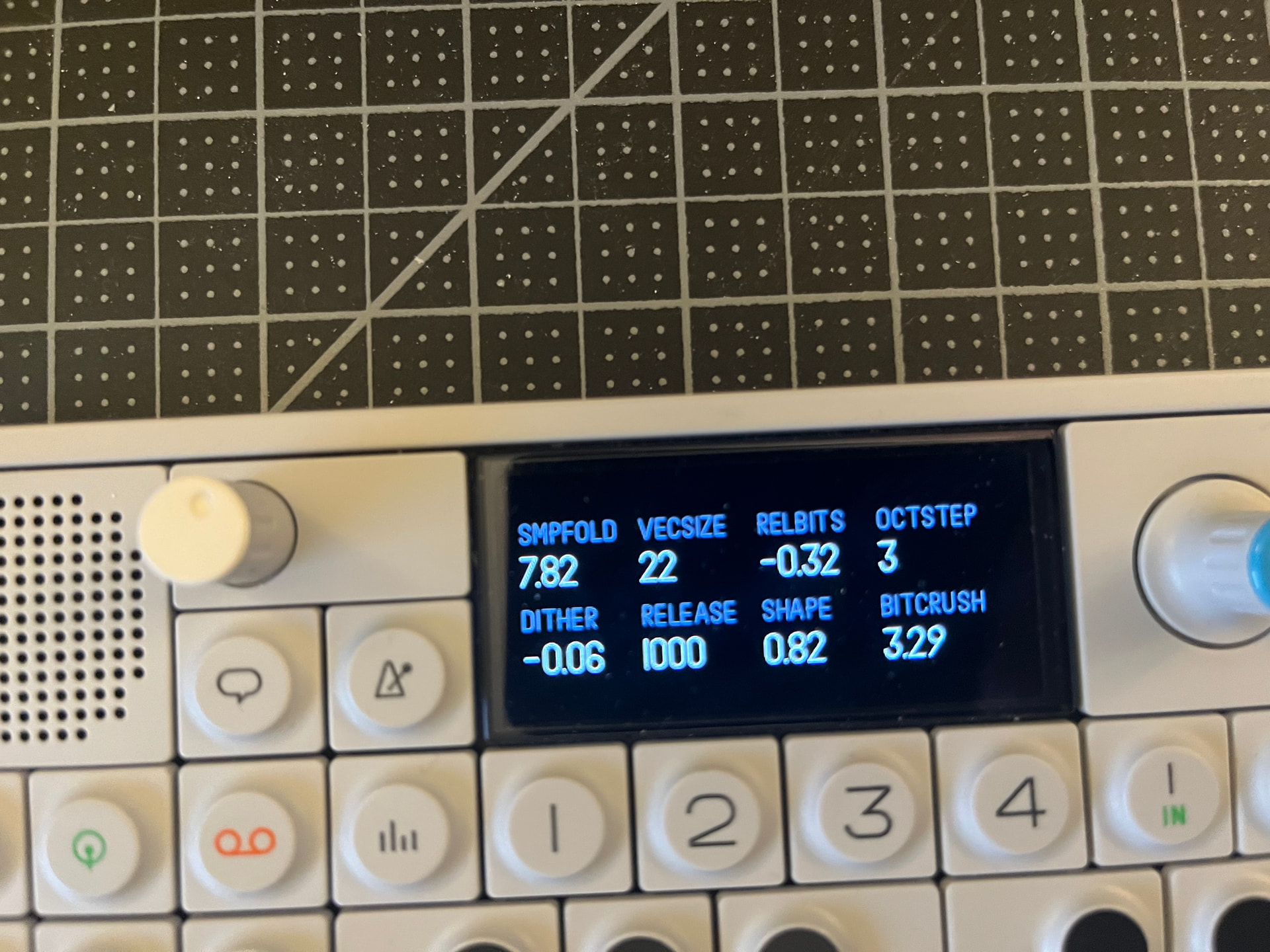
no eyecandy or colors, just a debug screen so far (im not a visual designer)
description:
DESIGN ETHOS: INTENTIONAL MISUSE
Every stage is a real, textbook technique, faithfully implemented, with ranges that deliberately reach the degenerate edges. The goal is to hear what correct DSP sounds like when it's driven wrong.

SIGNAL CHAIN
1. SmpFold: right of centre averages samples over a window and holds them (smeared, stepped); left of centre adds gain, driving everything after it harder. Centre is clean.
2. VecSize: restarts that window at regular block boundaries, adding periodic resync artifacts. Small values get chunky.
3. RelBits: float-style quantization. It reduces precision relative to each sample's level, so quiet and loud parts degrade alike.
4. OctStep: snaps level to coarse octave steps, giving stepped, broken dynamics. From 2 up it overrides RelBits.
5. Dither + Shape, added together just before BitDepth:
   - Dither: noise scaled to the current bit depth. Left of centre is RPDF (rectangular), right is TPDF (triangular, the textbook choice).
   - Shape: C. Chapin Cutler's error-feedback quantizer (Bell Labs; US Patent 2,927,962, filed 1954, granted 1960), the origin of noise shaping. It tilts the noise spectrum, and has no effect while Dither is at centre.
   - Both are gated by an envelope (Release), so they only appear while there's signal.
6. BitDepth: truncation, last, like a real truncating converter. Fractional settings blend between neighbouring depths; near the bottom it fades out like a level gate.

CONTROLS
- SmpFold (-14 to +14): gain (left) / averaging (right); centre clean
- VecSize (1 to 256): block size; small is chunky
- RelBits (-1 to 14): float-style precision; the subtle quantizer
- OctStep (1 to 16): octave steps; the dramatic quantizer
- Dither (-1 to +1): RPDF (left) / TPDF (right); centre off
- Release (0 to 1000 ms): how fast the dither gate lets go
- Shape (-4 to +4): noise shaping; needs Dither; centre off
- BitDepth (-1 to 16): final bit crush; fully left is silence
2 Likes
I am also getting a lot of cybersecurity blocks, on GPT-astra, i’ve hit like 8 by now, really anoying.
1 Like