EP-PatchStudio — Stop managing samples. Start making music

Hey everyone,

I’ve been building something I’m really excited to share, it’s not ready just yet but should launch soon — EP-PatchStudio, a native desktop app for EP-40, EP-133 and EP-1320.

The short version: it gives you your time back.

The Problem

We all know the pain:

- TE’s EP Sample Tool is slow and clunky at times and is online only

- Creating multisamples means juggling multiple apps

- Sampling a synth properly takes forever

- Backups are a nightmare

I got tired of spending more time on admin than making music. So I built the fix.

The New Workflow

Got samples? → Drag and drop into EP-PatchStudio → Zones auto-map from metadata/filenames → Click “Send to Device” → Done. Less than 2 minutes.

Don’t have samples? → Connect your synth via MIDI → Set note range, click Record → It plays, records, trims and maps everything automatically → Click “Send to Device” → Done. 5 minutes.

No more 45-minute workflows. No more bouncing between apps.

Free Version

Changed pricing model based on user feedback.

The sample editor and multisample creator are free forever. No limits, no tricks.

- Sample editing (trim, normalise, fade, EQ, compression, etc.)

- Multisample creation with manual zone mapping

- All audio formats supported

- Mac, Windows and Linux

Pro Version — €49

Unlocks the workflow automation:

- Device management — faster than TE Sample Tool, batch operations, fast transfers

- Send to device — one click, done

- Auto zone mapping — zones map automatically from filenames

- MIDI auto-sampler — point at a synth, walk away, get perfect samples

- One-click backup & restore

One-time purchase. No subscription. Lifetime updates.

Founder’s Pricing — €39

Join the waitlist now and lock in €39 instead of €49 during launch week only.

https://ep-patch.studio

Demo Video

First look walkthrough here: https://youtu.be/fQn9dyqhwH0

I built this for myself because the current workflow was driving me nuts. If you’ve felt the same frustration, this is for you.

Free gives you the tools. Pro gives you the workflow.

Happy to answer any questions.

2 Likes

What’s your biggest pain point when working with EP samples?

I built EP-PatchStudio to solve my own frustration (spending hours creating multisamples manually), but I want to make sure I’m solving problems that others actually have too.

Is it:
• Time-consuming manual workflows?
• Sample organisation and management?
• Inconsistent levels across samples?
• Something else entirely?

Reply with what slows you down most. Genuinely want to know.

Thanks

Sounds awesome. I’m a Mac user, and do find the TE app slow. Will I be able to install on 2 Macs, one laptop and one desktop? If I purchase the pro license I mean.

BTW my desktop is a 2015 iMac so it might be too old. My MBP is a 2024 model so no issues there.

Thanks

1 Like

Hey RoyB,

Yes! Your Pro license lets you install on up to 3 devices, so laptop + desktop is no problem.

Just activate with your license key on each machine. If you ever need to free up an activation (new machine, etc.), you can deactivate an old install and activate on a new computer.

Re: your 2015 iMac - that’ll work perfectly. I build for both Intel and Apple Silicon and the app is lightweight (no heavy processing). Your iMac should handle it just fine.

Cheers,

Joe

Thanks for the quick reply Joe. I’ve registered and I’ll definitely be buying it. I’ve seen some of the video and it looks great. Nice clean UI. Can’t wait to get it.

Good luck with it.

1 Like

Thanks Roy, really appreciate it. Spent way too long obsessing over the UI so it’s nice to hear that landed; user feedback really matters to me.

More videos and tutorials coming soon, just need to get over my crippling fear of hearing my own voice :rofl:.

Well it looks to me like the time you spent on the UI was worth it. Roll on Feb launch day

1 Like

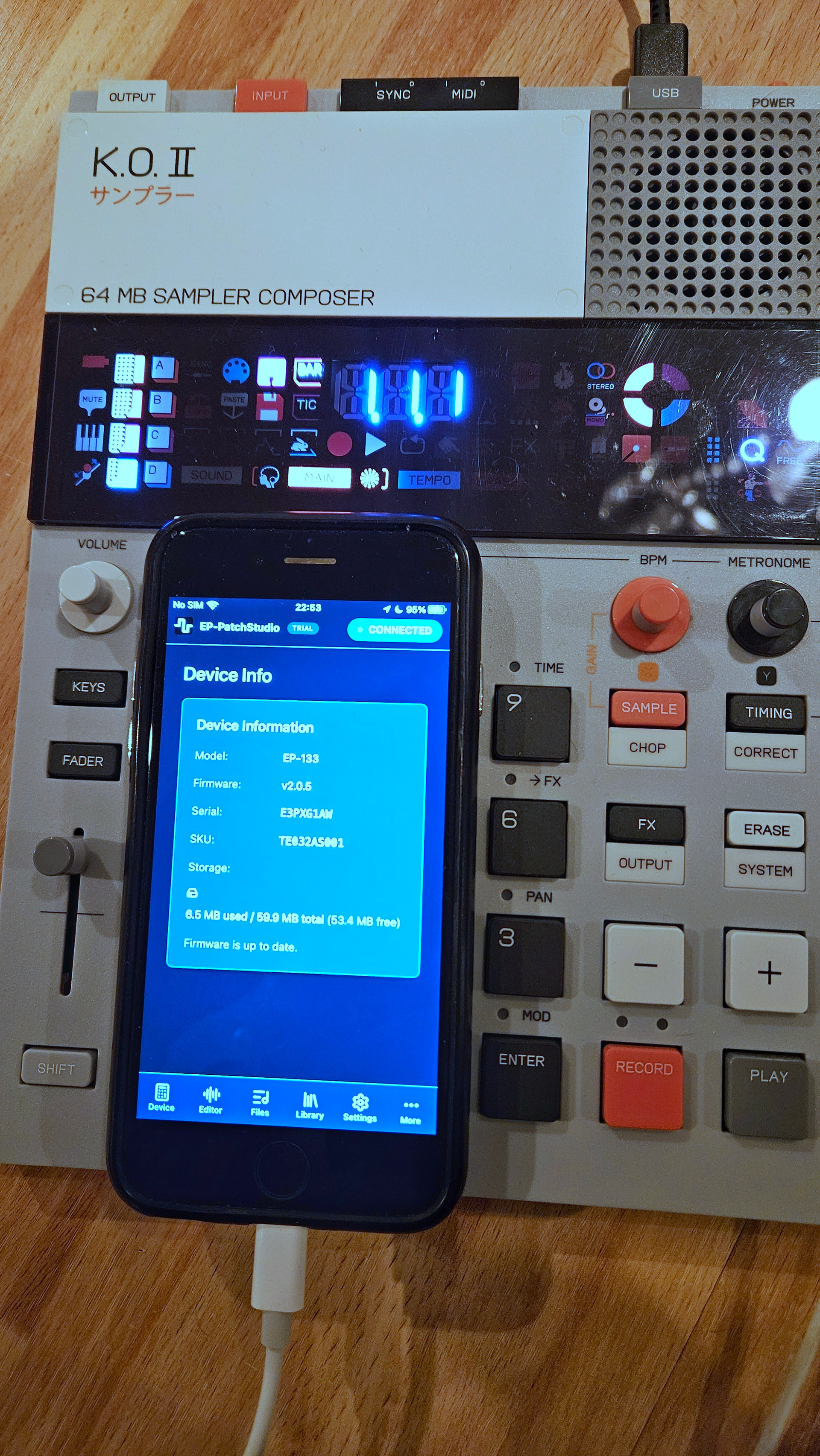
Quick update, just unboxed the Teenage Engineering white mystery box from their Flipped Out calendar and got the KO II and Medieval inside. Immediately tested both with EP-PatchStudio and happy to report they work perfectly.

That means full EP line support confirmed at launch:

- EP-133

- EP-1320

- EP-40

Short video of the unbox and first connection tests: https://youtube.com/@squarewavesoftwarestudio

Still on track for Feb 10. Thanks for everyone’s patience and feedback so far.

Based on feedback from the community, Pro is now pay what you want ($25-79). Flipped Out proved the model works and it felt right for this kind of tool. Same features whether you pay $25, $35, $50 or $79.

Thanks everyone for the support. I’ve been getting lots of messages and I really appreciate the feedback.

Honestly it’s been a much harder process than I expected. Supporting all three platforms (macOS, Windows, Linux) between development and testing, plus the website, download infrastructure, update system… it’s been manic.

I’ll get there though. The goal is simple: help you enjoy your EP devices more by concentrating on making music, not managing samples.

Free version is free forever, full sample editor, no trials or time limits. Pro adds device management, auto-sampling and backups.

More details at https://ep-patch.studio

2 Likes

Quick update on what I’ve been working on between bug fixes.

First, a timing note: I’ve pushed the release back to February 24th. Hit a few bugs in the Windows version that need proper fixing before I put this in anyone’s hands. The 24th will be early access only so if you want to be in that first wave, sign up using the “Join Waitlist” button on ep-patch.studio.

Now the fun stuff.

Pattern Visualiser

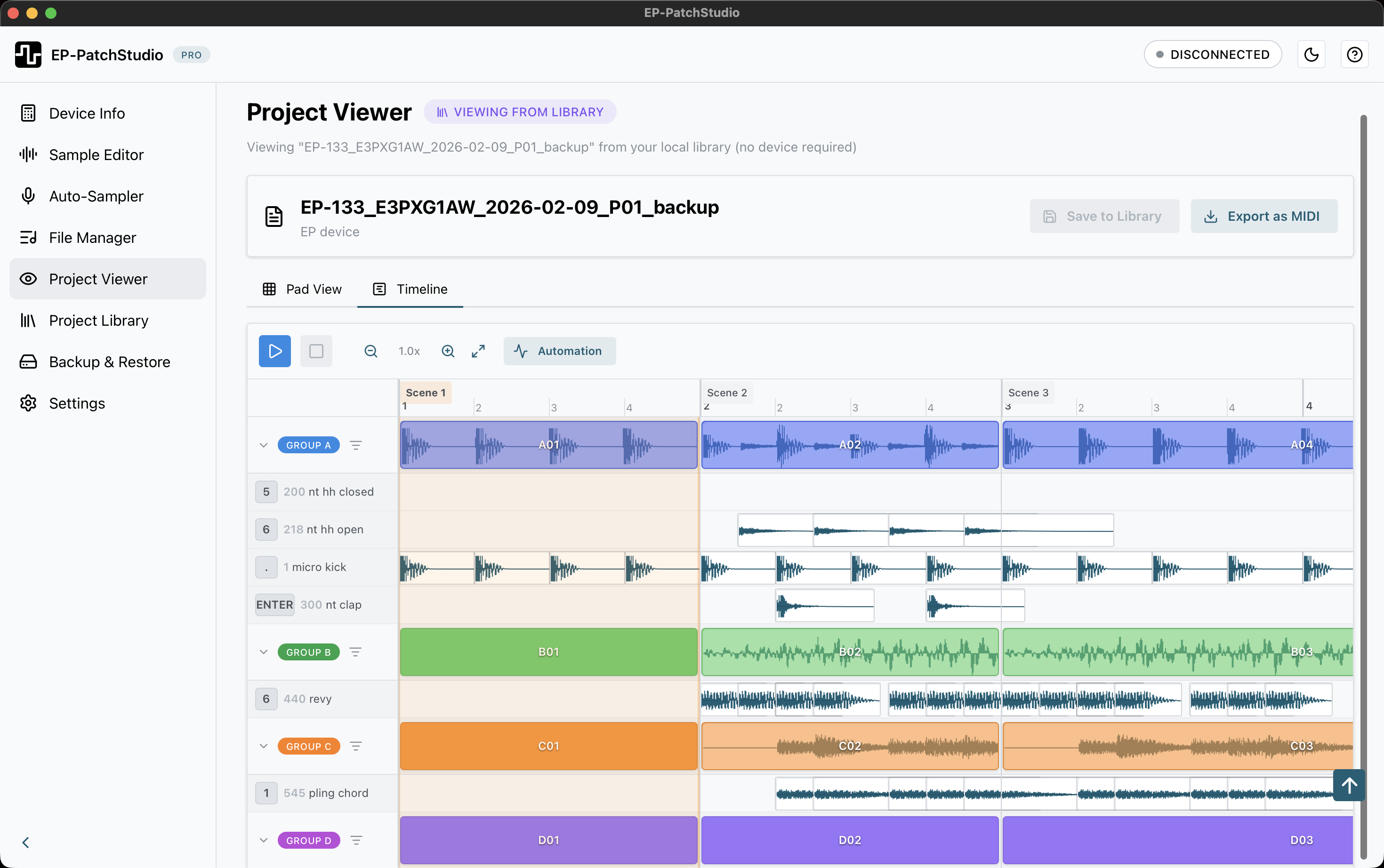
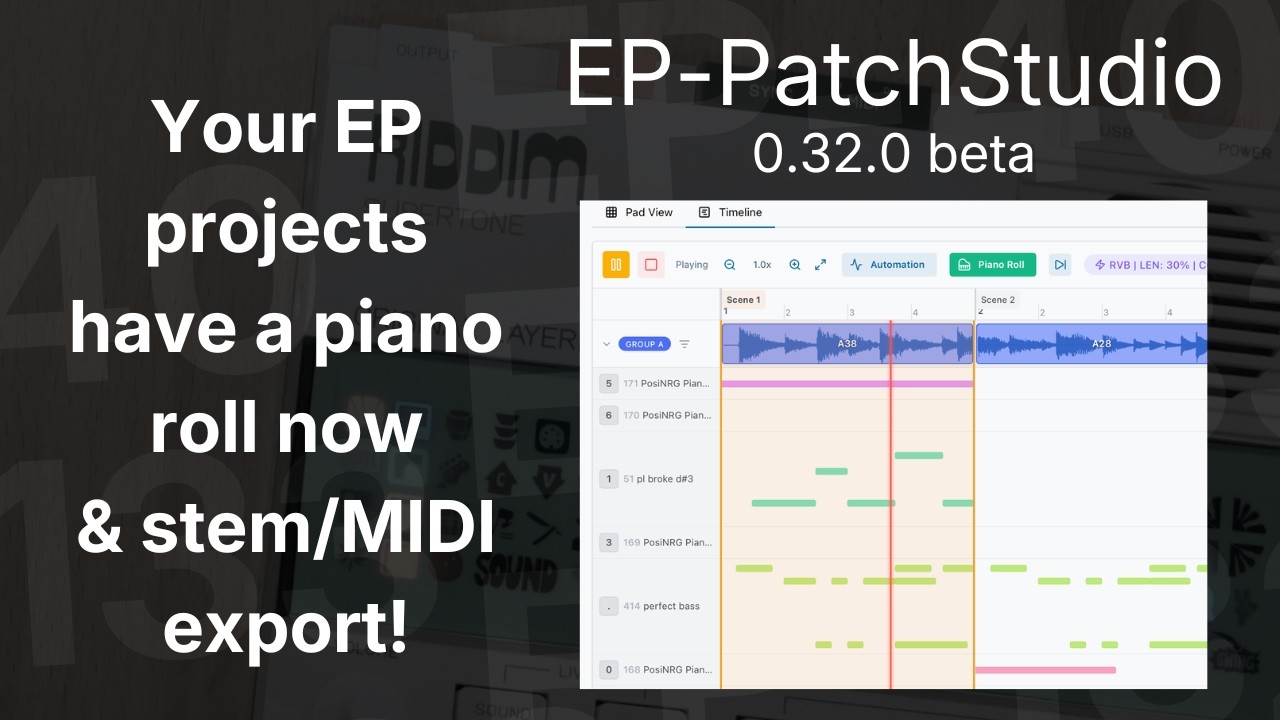
Pull a project from your EP-133, EP-40 or EP-1320 and see every group, sample assignment, scene and fader automation laid out on a timeline. Individual automation lanes per parameter so you can see exactly what’s going on across your pattern. You can play back scenes, groups or individual samples right from the visualiser. Per-track MIDI export is working too so you can pull individual groups straight into your DAW as separate tracks. Stem export is on the roadmap.

This started as a community member’s idea. Built a quick proof of concept and it actually worked, so now I’m building it out properly. Thanks to everyone who’s been sharing ideas.

Project Library

Save projects locally, import from backups, tag and organise them. Restore to device when you need them. The plan is to eventually let you build templates on your computer and push them to the device. Should help with the 9-project limit.

I put together a video walkthrough of the full app plus a deeper dive into the pattern visualiser: https://youtu.be/9m6I-lhrKd8

Happy to answer any questions or if you have feedback or any other ideas for features, that would be :ok_hand:.

1 Like