I’ve been saving for an OP-1 Field for a year and a day. While I wait, I wanted to see if Fable 5.2 could recreate it as a browser app.
The prompt was:
Recreate the teenage engineering op1 field synth as an app I can use via a web browser and mobile with all of its settings. Make it look identical. Same product design, colours, tape system, keys etc. Make it sound identical. Same sounds. Same tape system.
This is what came back:
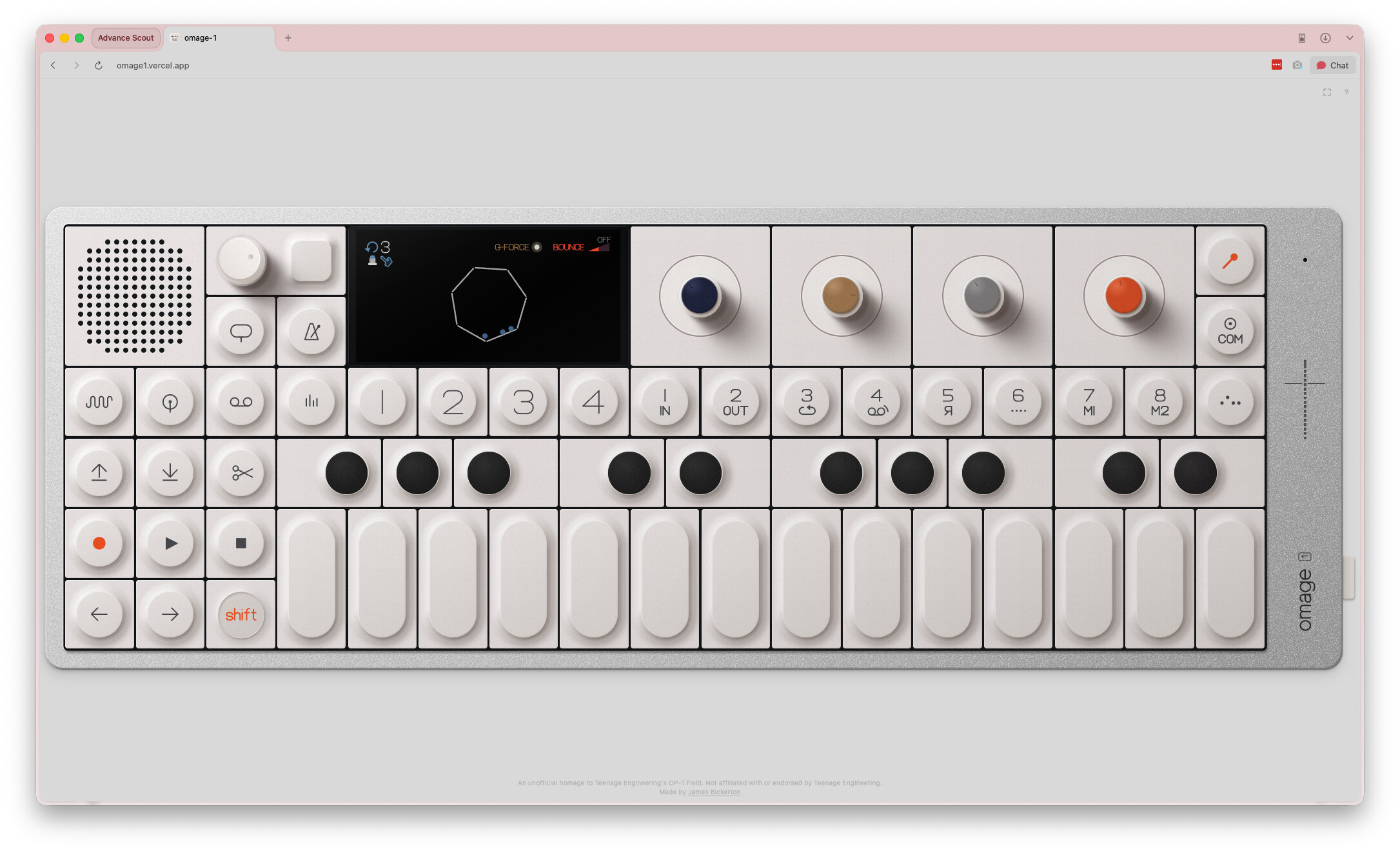
Try it: https://omage1.xyz
It works on desktop and mobile.
A few honest notes:
- It’s an unofficial homage. It isn’t affiliated with Teenage Engineering, and it isn’t meant to replace the real thing.
- I’m not an advanced musician. I can now proudly play middle C. So you’ll spot gaps I haven’t.
- Big thanks to Nicholas Finney, a real OP-1 owner, for testing and helping.
I was worried that having it on a screen would put me off the hardware. It did the opposite. You can copy how it looks and sounds, but you can’t copy how it feels. I can’t wait to get my hands on the real one.
I’d love feedback from people who know the Field inside out. What’s wrong? What’s missing? What feels off?
Respect to Teenage Engineering for making such a wonderful machine. Please don’t sue me 
