Hi all, I’m Bartek. I made Padwork, a companion app for the EP-133 K.O. II that runs in Chrome or Edge on a Mac, Windows or Linux computer: nothing to install, nothing uploaded. It’s a free beta, and I’d love to hear what works and what breaks.
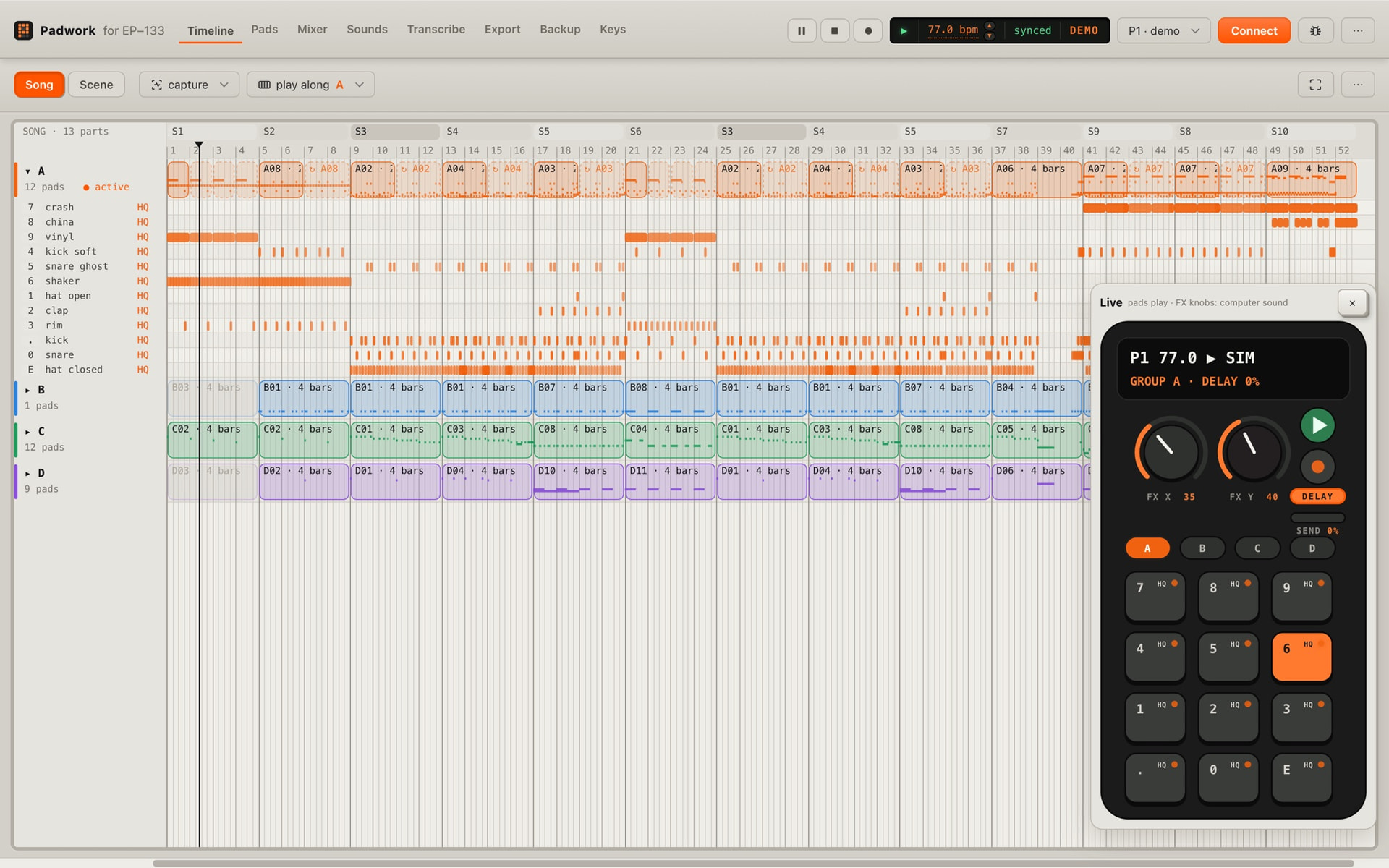
What it does:
- Capture: jam on the pads without recording. One click turns what you just played into a pattern, with the tempo fitted to it and your timing kept.
- Transcribe: drop in a song. It splits the parts and finds the notes, drum hits, key, tempo and chords (all in the browser), and can put a few bars onto your pads, in tune.
- See and edit: projects on a timeline, pads (sound, trim, pitch, envelope, choke), pattern notes, scenes and the song list.
- Play it on the computer: your pads through a mixer with EQ, compression, delay and reverb, with HQ versions of your samples where you have them.
- Backups: one project or the whole device with its sounds, and a copy you can open offline.
Safety: it starts read-only, saves only on firmware I’ve tested (OS 2.5.1), copies the project before every save and checks each save by reading it back. It’s still a beta, so make a full backup first (the app offers one).
What doesn’t work yet: the known issues list. iPhone and iPad can’t connect (no Web MIDI there).
It’s built on the community’s reverse-engineering work, especially kmorrill’s ep-series-sysex docs. Thank you! Padwork isn’t affiliated with teenage engineering.
Try it at Padwork for EP-133: capture, transcribe, back up (there’s a demo if your EP-133 isn’t at hand). The bug button in the app sends a report with the log. Ideas and “I wish it did X” are very welcome.