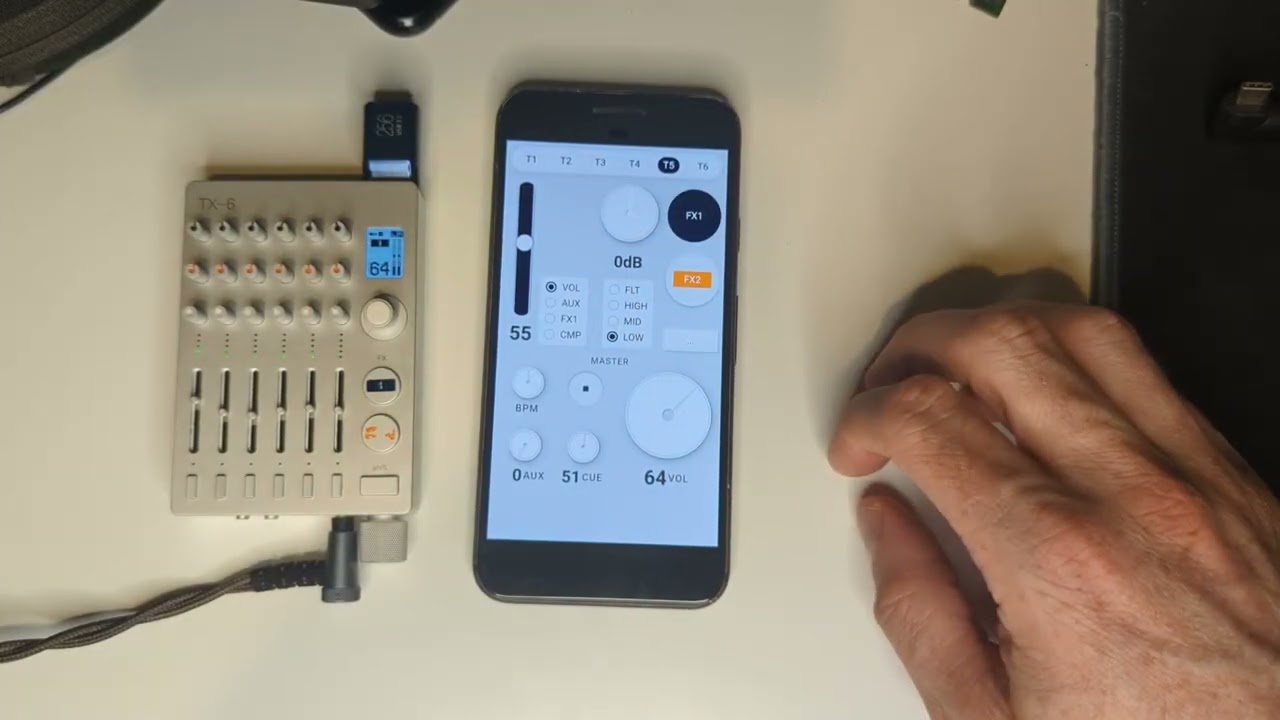
This is just absolutely amazing.
Thank you so much. TE should hire you and put this into a standalone app.
I tried with bluefy browser on iOS and it works perfectly.
This is really nicely done. Any plans to develop this further? Adding an assignable lfo per page would be pretty neat. Maybe sine, ramp, triangle, square, and stepped random for useful shapes. The tax-6 is either receiving a clock or supplying one so the lfo can be timed per beat, bar, etc. Regardless thanks for sharing your interface development.
absolutely! LFO is probably next on the list, will add a button below the FX section and have a similar overlay. Not sure if I am able to sync it with clock, the BPM knob sends relative values to increase/decrease BPM but doesn’t sync.
So for initial LFO I am thinking:
param: vol, aux, fx1 send, cmp, filter, eqs, fx knob
shape: sine, triangle, square, saw, random
amplitude: 0-50 (or maybe to 100?)
rate: frequency in Hz, either a knob or a text input. could prob show a bpm value here instead
on/off toggle
maybe a toggle to sync to play/stop (or just always do this)
let me know if you have any suggestions for this or other features
I wanted to try your app on my iPad and I have the web midi app browser and it sends midi to the tx-6 however when I try using the tx-6 and your app I get the following error: connection failed: no midi usb output devices found. Can you give me any info on how to get this working I really want to try the LFO it looks great.
I’m using this on iOS with BlueFly. Really nice. You’re an absolute star.
I’m finding that the LFO section’s tempo and play button go a bit bananas sometimes. Like it can take a while to pick up the tempo from the TX. And perhaps more troublesome is that the play/stop toggle can give a mind of its own whether or not the TX is in Play or Stop. What’s the app expecting in terms of TX-side tempo settings?
Thanks! I have pushed a fix for this. It was interpreting some midi clock events as transport. That’s fixed, and clock should be a bit more responsive as well.
 Wow, thanks!