I’m an independent developer and a big OP-1 field fan.
Over the past several months I’ve been building Studio Field, a native macOS companion app designed to make managing the OP-1 field much easier while keeping the workflow simple and familiar.
The project started because I felt there wasn’t really a desktop companion focused on safely managing the device and its content. My goal was to create something that lets you organize tapes, synth patches, drum kits and backups in one place without getting in the way of the creative process.
Some of the current features include:
One-click full device backup
Restore backups to the OP-1 field
iCloud backup support
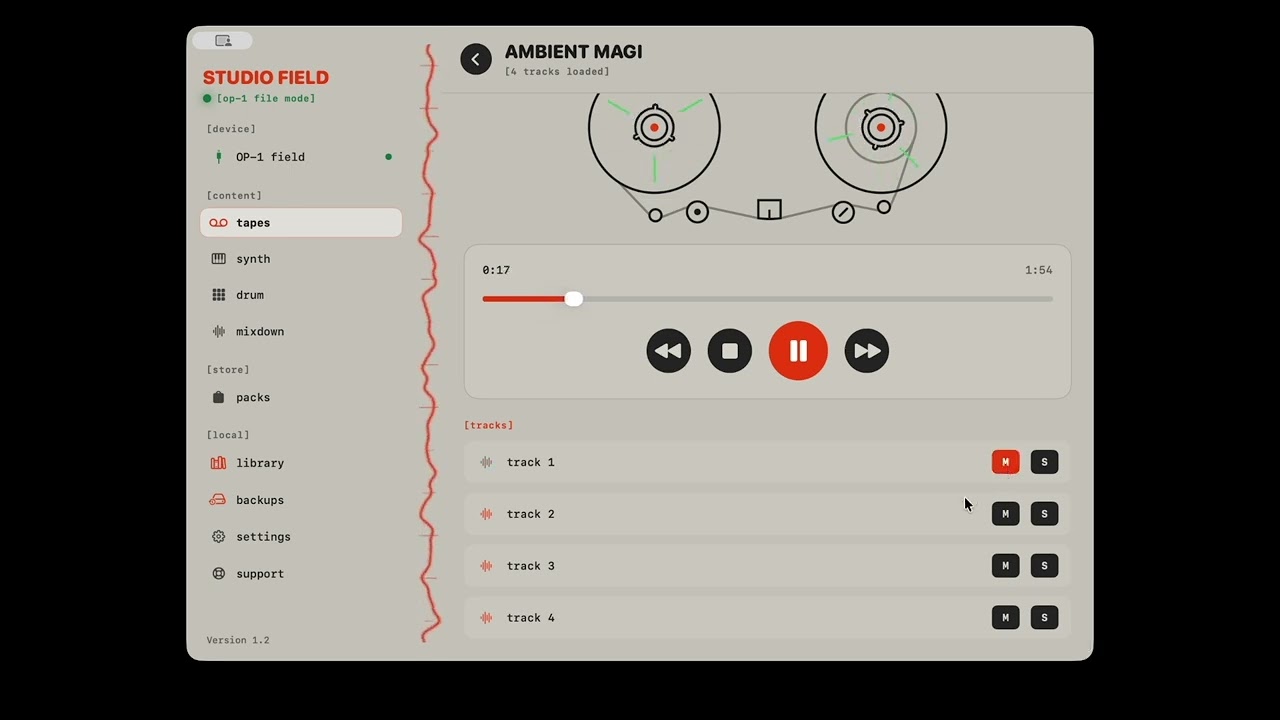
Browse and organize tapes
Manage synth patches
Manage drum kits
Import sound packs
Built-in tape player
Local library
The app is now available on the Mac App Store, and the response from early users has honestly been amazing. The feedback and feature suggestions from the community have already shaped several updates.
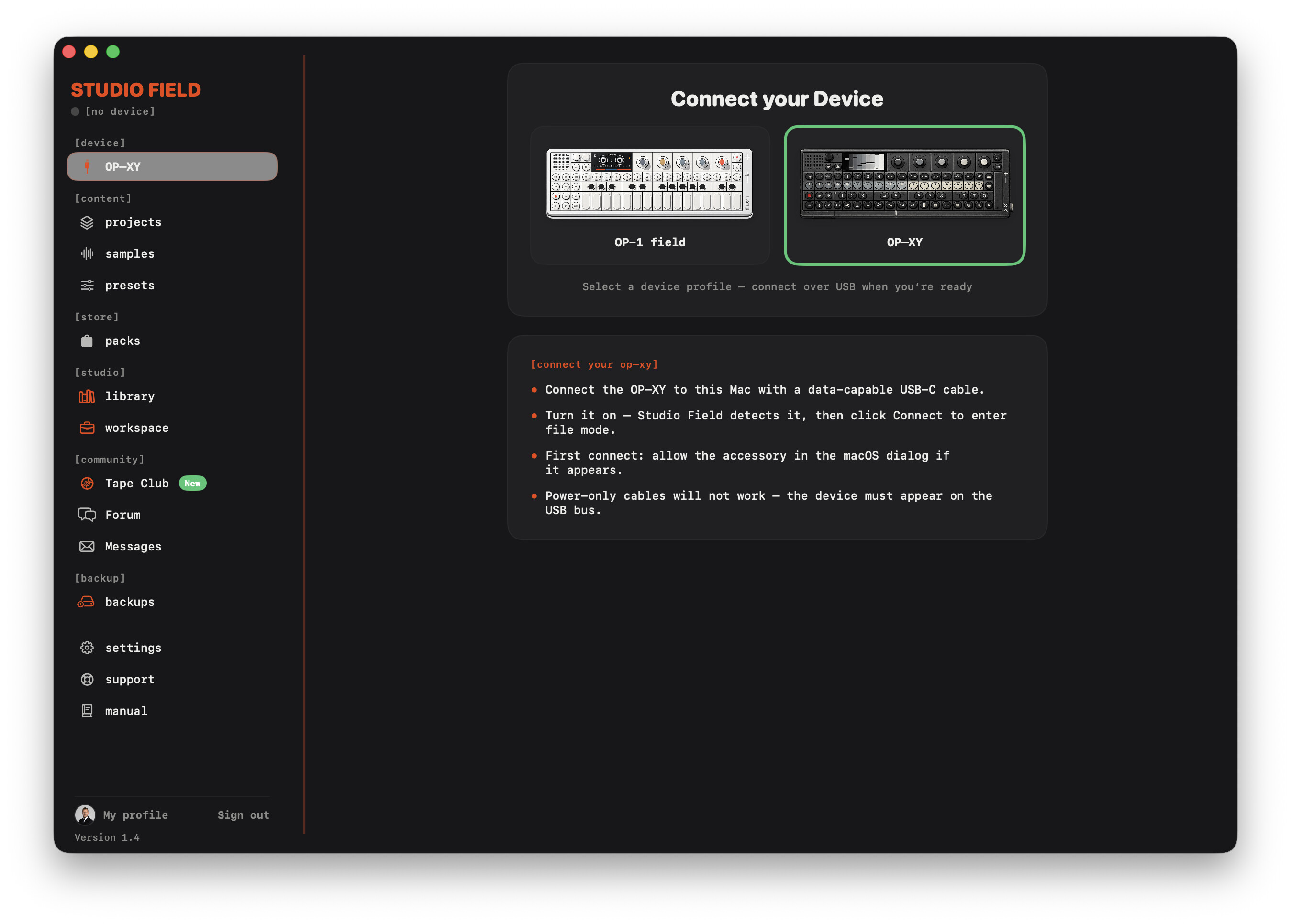
I’m also actively working on OP-XY support, and after that I’d like to expand support to more Teenage Engineering devices over time.
I’ve attached a short video showing some of the app in action.
I’d genuinely love to hear what you think. If there’s anything you’ve always wished a desktop companion could do for the OP-1 field (or OP-XY), I’d really appreciate your ideas.
I’m sold! I’ve used this app a few times on MacOS and iPad. I’m excited for the help managing my OP-1 field tape backups. And it looks good, too! I was thrilled to find a drum sequencer and synth engine built into the mobile app! Keep up the good work.
Congratulations. This looks like a really well thought out, useful app. (I’m still on Monterey, though, so not for me, but someday I’ll get a new laptop and certainly purchase this.)
Best of luck with your future apps, it’s really nice that you’re doing work to benefit the community.
I have to say, I didnt know what to expect from this app in terms of comparison to TE’s proprietary field kit, but this blows the official software OUT of the water. This is what the field kit SHOULD be, and the fact that this is macOS universal (iPad, iPhone, Mac desktop) makes it even more of an appealing deal [it is on all of my Apple devices now, which is exciting!]… I look forward to the XY version and to your upcoming dev!!! If you’ve wanted “more” out of the field kit this is what you’ve been waiting for.
AI has definitely helped me move much faster, but I wouldn’t describe Studio Field as “pure vibe coding.”
I’ve actually been building and publishing Apple apps for over 13 years, long before AI coding tools existed. If you search for Lithium ehf in the App Store and view the developer profile, you’ll see the apps I’ve released over the years.
AI is an incredible assistant for writing code, exploring ideas, and speeding up development, but I’m still responsible for the architecture, design decisions, debugging, testing, and every release that goes out.
Studio Field has been particularly challenging because of the USB/MTP communication with the OP-1 field. A lot of the work has involved testing on real hardware, tracking down obscure edge cases, and solving problems that simply can’t be solved by asking an AI to generate code.
At the end of the day, I’m the one who has to maintain the codebase for years to come, so long-term maintainability is something I care a lot about. AI has made me significantly more productive, but it’s still very much my codebase and my responsibility.
As things stand today, it isn’t possible for Studio Field to perform a full device backup directly from an OP-1 field to an iPhone or iPad. That’s mainly due to how iOS handles communication with external USB accessories compared to macOS.
From everything I’ve researched, it might become possible if Teenage Engineering were to support Apple’s MFi (Made for iPhone/iPad) accessory program and expose the necessary communication protocols. However, that’s entirely up to TE, and MFi is a fairly involved and time-consuming certification process. So I wouldn’t say it’s impossible forever, but it’s unfortunately not something I can solve from the app side alone.
In the meantime, my focus is on making the Mac version as capable as possible while continuing to improve the iOS companion app within the limits that iOS currently allows. The iOS app already provides a companion workflow: if you import your OP-1 field content using the macOS app and have iCloud Sync enabled on both devices, your tapes and mixdowns automatically become available on your iPhone and iPad for browsing and playback.
I’d absolutely love to support direct device backups on iOS one day if Apple and Teenage Engineering make that technically possible.
The app is already available on the App Store. Please note that the Mac version is available on the Mac App Store, while the companion app is available on the iOS App Store. It’s a universal purchase, so buying either version unlocks both at no extra cost.
Thank you so much for the kind words, Greg, it genuinely means a lot to me.
Hearing someone compare Studio Field to the official Field Kit software is honestly one of the biggest compliments I could receive. My goal from day one has been to build the companion app that I personally wished existed for the OP-1 field, so reading your feedback is incredibly motivating.
I’m happy to say that I already have an OP-XY on my desk, and I’m currently working full-time on adding support for it.
imo this is quite bloated and does not feel native at all. i bought it and the only feature i really care about, previewing tapes, isn’t nice to use. you cant seek the waveforms, cant sort tapes or even view dates, no spacebar to play/pause. when you click on a tape and go back it scrolls all the way to the top of the list. the ‘upload to tape club’ stuff is really pushy. many questionable ui choices
sorry to be harsh but i gave it the benefit of the doubt and for $20 it just feels like another half working vibe coded app
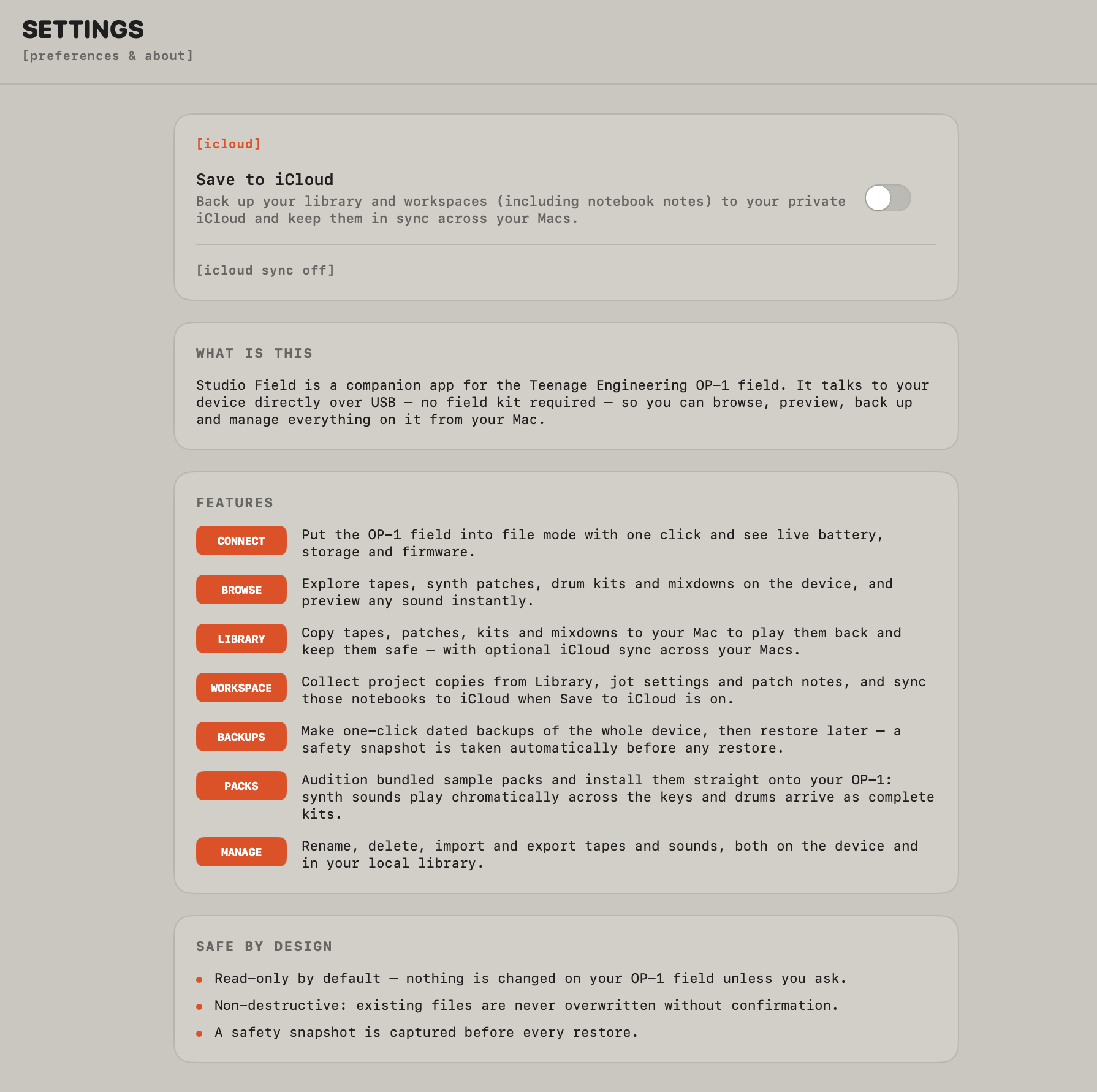
i mean, cmon, this settings page… (none of the orange buttons do anything)
Thanks for taking the time to write such detailed feedback, and thanks for supporting the app by purchasing it.
Some of your points are absolutely fair. For example, the Settings page labels currently look like clickable buttons even though they’re just section labels. That’s something I’ll improve. Preserving the scroll position when returning to the tape list and adding more keyboard shortcuts are also good suggestions.
I did want to clarify a couple of things though.
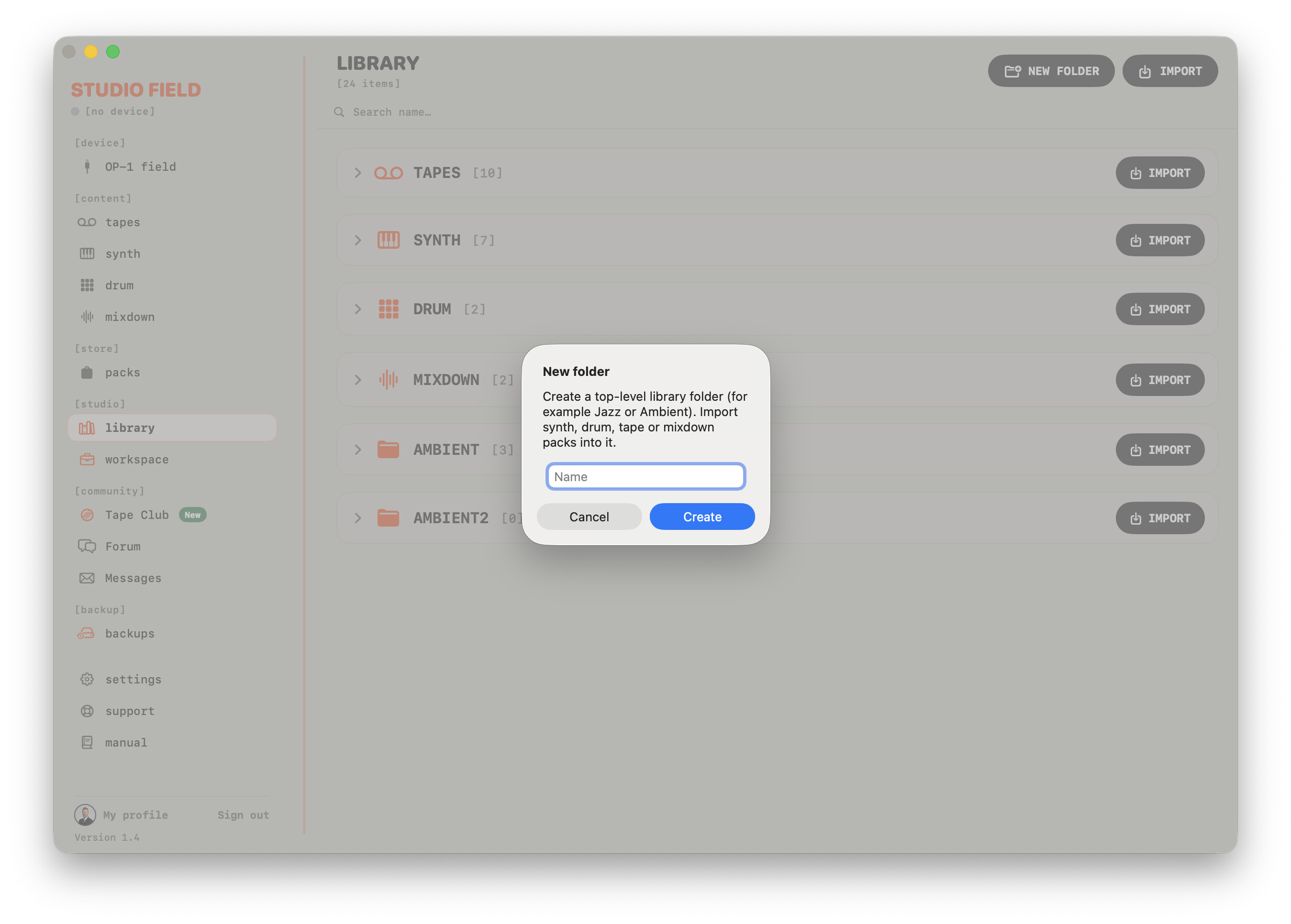
The Library does support organizing your content. You can create your own folders, name them however you like, and move tapes, synths, drums and mixdowns into them to keep everything organized. I’ve attached a screenshot showing that.
Regarding dates and metadata, that’s unfortunately a limitation of the OP-1 field itself rather than Studio Field. The OP-1 field filesystem doesn’t expose project creation dates or other meaningful metadata for tapes, so there isn’t an original “created on device” date that I can display. The only reliable date I can store is when an item is imported into the Library, which is something I may add in a future update.
Studio Field is still under active development, and most of the improvements in every release have come directly from user feedback. I really do appreciate constructive criticism, even when it’s tough to read, because it helps me prioritize what to improve next.