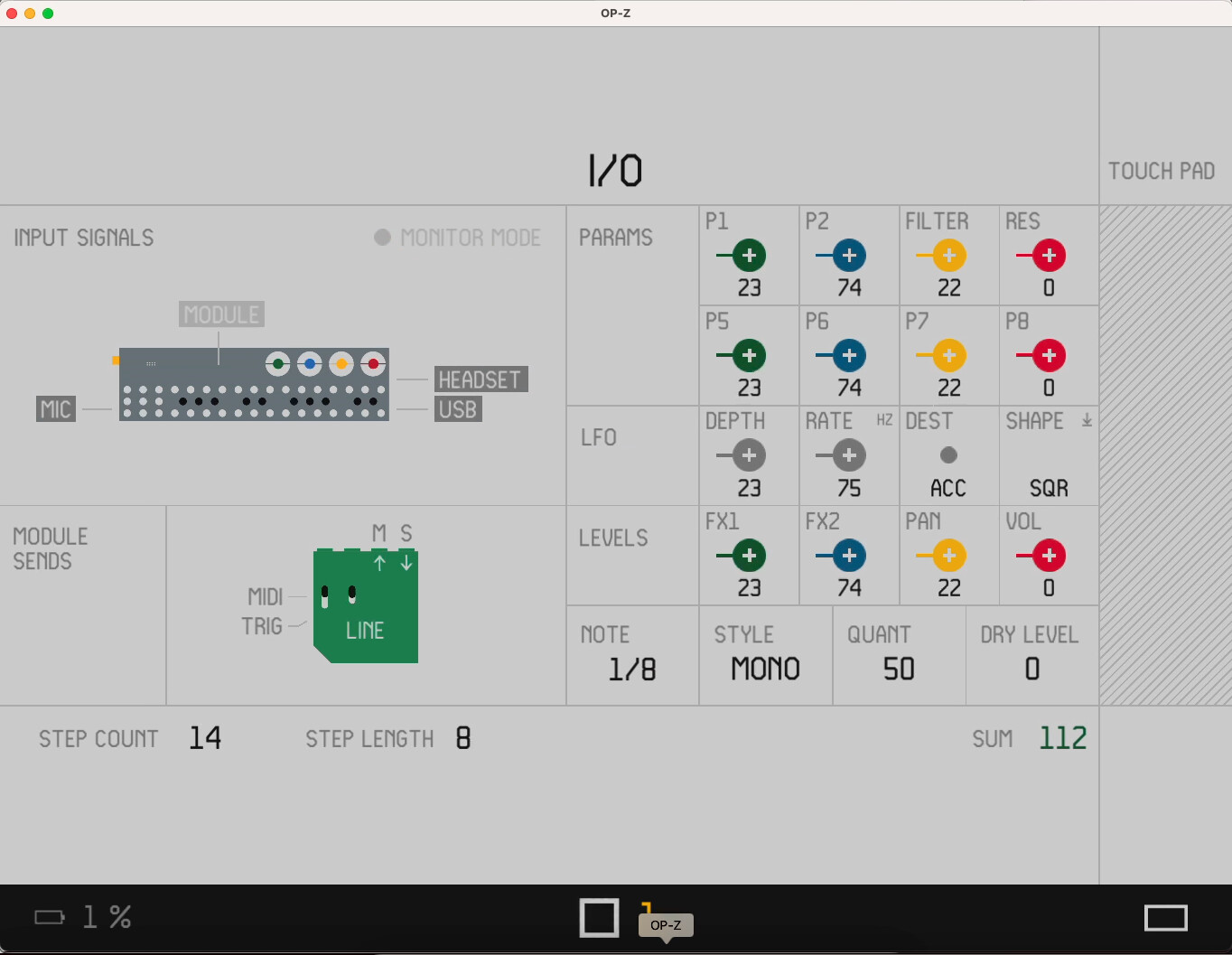
Ah yes.
BTW I think that changing the way midi is set was a bit dumb, for two reasons:
Users were used to it.
It was more logical to have screen+tempo for input settings, and module page for midi settings.
Oh well.
Ah yes.
BTW I think that changing the way midi is set was a bit dumb, for two reasons:
Users were used to it.
It was more logical to have screen+tempo for input settings, and module page for midi settings.
Oh well.
Confirmed. This is on MacOS captured from a screen recording and there is indeed a frame for this mysterious green module. Someone needs to degrade their firmware and see when it came in.
thanks for testing 
also op-z app on a mac is supper dope ! i totally forgot macs can do it now.
its probably still left from their prototype testing. forgot to patch it completely.
so M (out) can stand for:
module
master
monitor
mic
mono
money*
and S (in) can stand for:
sends
slave
source
stereo
sample
sound
success*
and it has “dry” level , witch is unlike volume or filter and fx1 fx2 level.
it has midi and trig (from previous op-lab)
its green and its called “line”.

what ever it is, looks useful 

A send / stereo return + MIDI / Trig out (as this green thing seems to be) is pretty much EXACTLY what I’d like to see in a module.