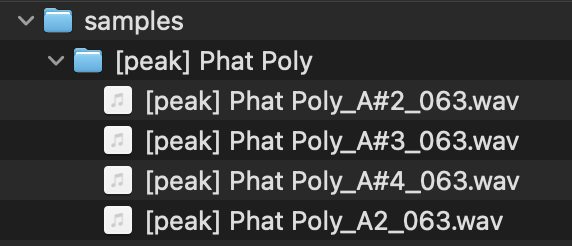
I’ve been working on getting a setup going for multisampling external hardware with my iPad.
Chameleon AUv3 with AUM supports some nice auto sampling with MIDI control.
The problem is I can’t figure out how to get the samples out of the app.
The app lets you use your newly multisampled instruments in the app itself, but I’d like to build presets for the OP-XY with these.
The app does have a ‘backup’ to icloud feature. However, it generates a compressed file that is password locked. No idea what the password would be, and not sure if these contain the sample files. I would assume they do.
Anyone else have success getting samples out of this app? It’s a nice app, it’s a shame the author seems to have locked everything down like this.
I have not used Chameleon in a while, but in the future I can eventually try out the multisampling. When it came out, a good use case was to bounce tracks in place and drag drop them back and forth within a DAW. I know Logic Pro or Cubasis couldn’t do that yet.
Definitely reach out to the dev, he’s got loads of YouTube tutorials too.
I was put off by the fact there’s no manual. That guy has so many plugins and zero support docs for any of them. It’s a shame. I ended up refunding and using AudioLayer instead which lets me save to files app or icloud. It’s been working great for autosampling.
True, he’s got loads. I have Audiolayer too but stoped using it because it got time consuming and complex for me. Doesn’t it have Round Robin capabilities? That’s ideal!
Is it a pain to multisample on the OP-XY itself? I guess any software would be more convenient, at least for organizations and labels, yea? I have a Bento that can multisample too, but yet to try it.
To refund sign in to https://reportaproblem.apple.com/ with your apple ID. Then select ‘request a refund’ from the drop down box. It typically only works for apps you’ve purchased within the past day or two.
You can multi-sample on the XY but having to tweak each sample manually and getting the timing right, etc.. is just extra work that brings my no joy.
I haven’t heard of round robin in my sampling experience. I’m guessing this is sampling with an interval between recorded notes?
AudioLayer does have ‘note stride’ which is the interval gap between recorded notes. It also can do multi-velocity sampling (up to 32 velocity layers!)
Here’s the auto-sampling options it has. It’s quite nice.
Over the holidays I think I’m going to fork the OP-PatchStudio [1] tools and add an auto-sampling function to it. Seems like a fun project and a good way to learn some JS midi programming.
BTW, you’re welcome to fork away if you want, but autosampling is on my list of new features. You can also add this and raise a pull request too, to add it to the main app. I’m open to contributions.
The main issue right now is that the app in the Web can’t access loopback audio devices to record sound from a DAW or VSTs. I’m planning a complete rewrite to a native desktop app to address this in the future.
An auto sampling feature will work if using external devices recorded via audio interface in though. That funtionallity is there and ready to go, the autosampling logic just needs to be added.
I was able to record via JS from the loopback device.
My setup is Ableton live outputs audio to BlackHole device.
Browser uses BlackHole as the recording device.
I couldn’t get a clear recording in Firefox for some strange reason. Audio was always garbled, something isn’t matching up in the bitrates. However, chromium recorded cleanly. The MediaStream recording api seemed to get the job done.
I guess next step to test is to send some midi from the browser and trigger Ableton to play notes while recording.
I should probably take this to another thread as I’m now a bit off from the original topic.