I also encountered this message after a while of using it. I just turned my op-1 on and off and it went.
Sorry can’t help, but I think HK 3.0 should be treated as a public beta. Keep reporting crashes, errors, etc
I also encountered this message after a while of using it. I just turned my op-1 on and off and it went.
Sorry can’t help, but I think HK 3.0 should be treated as a public beta. Keep reporting crashes, errors, etc
Hi, that was me 
Thanks again for the great work!
Can you add a HOLD function tot the C64 ARP like in the original ARPEGGIO (red knob turn right function)
And maybe an option to turn TABLE off, so it plays only the notes you are playing. This is what I do on an original C64.
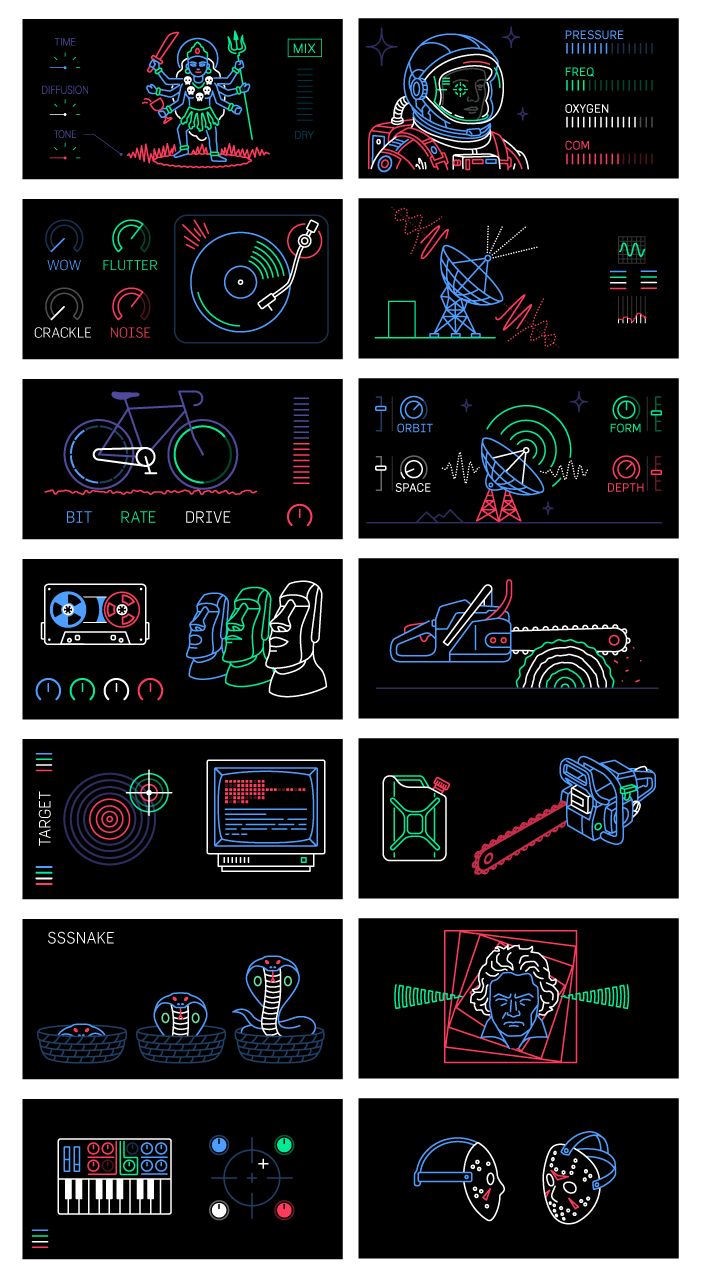
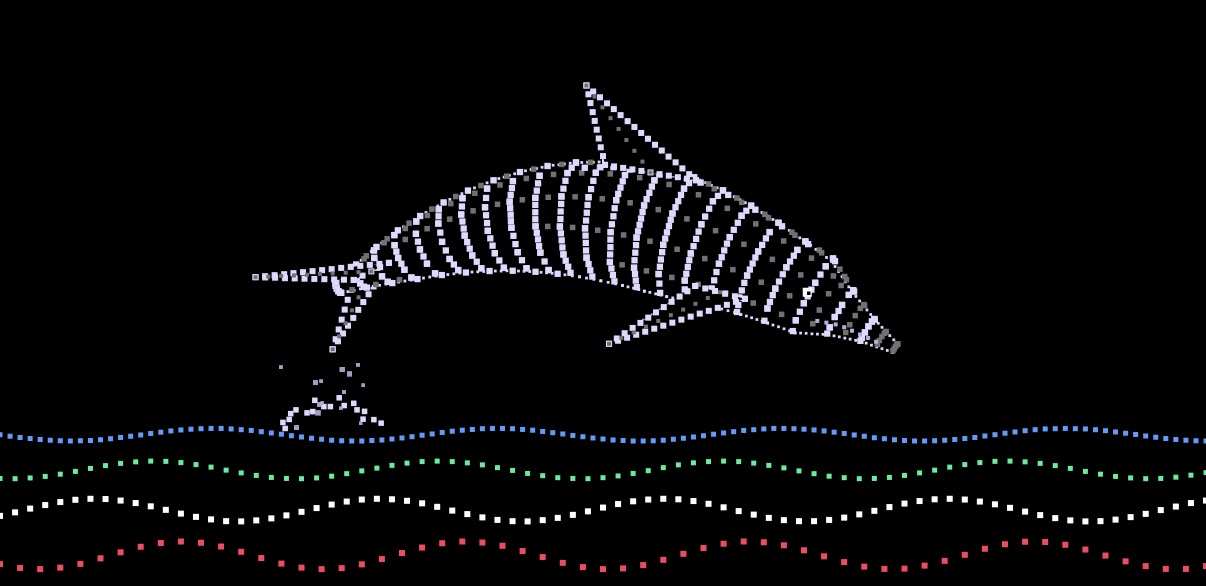
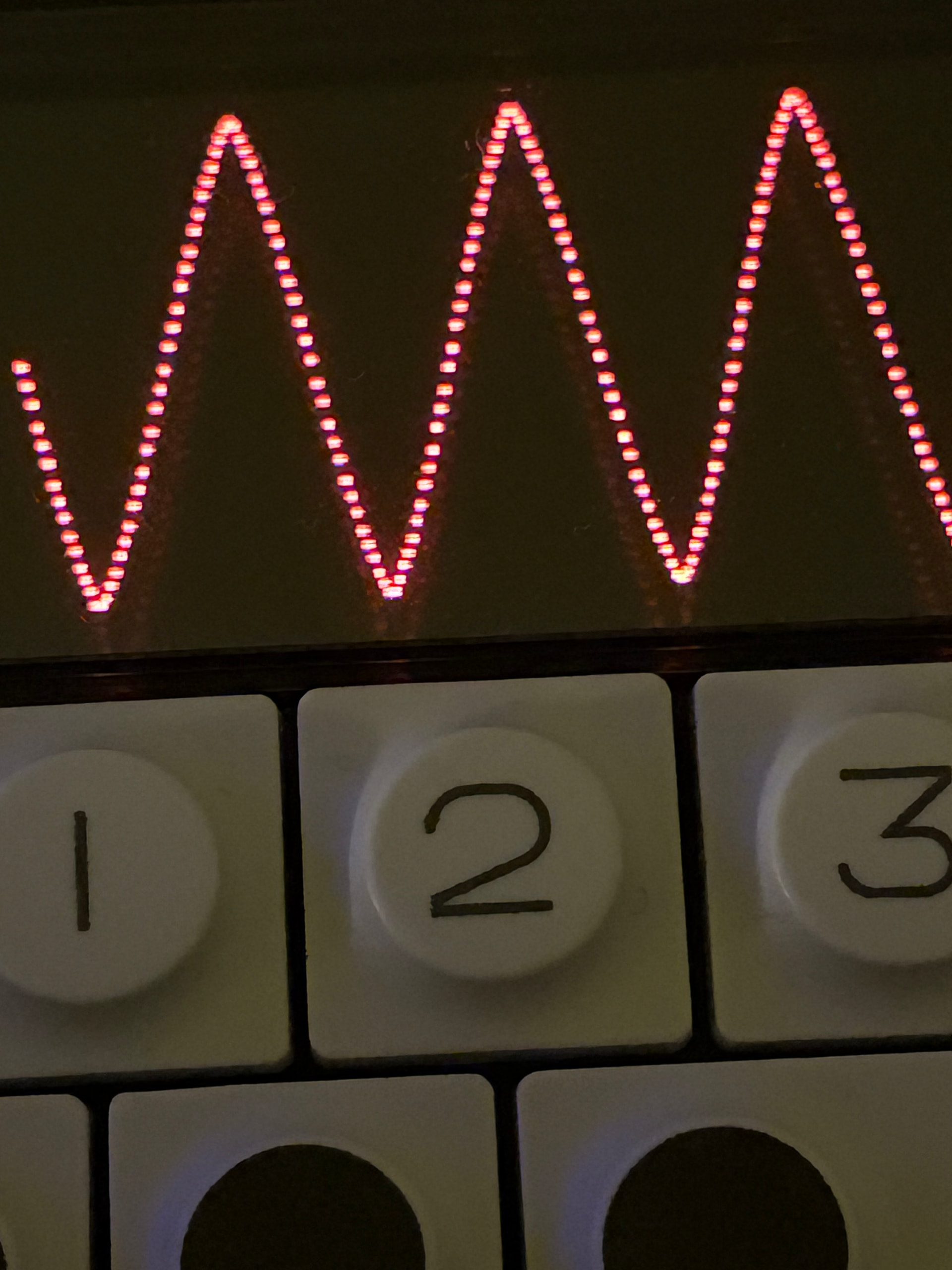
i did the graphic for the MI reverb and the linesize is 0.75px..it´s a bit “crunchy”..maybe you could set it on 1,5px?
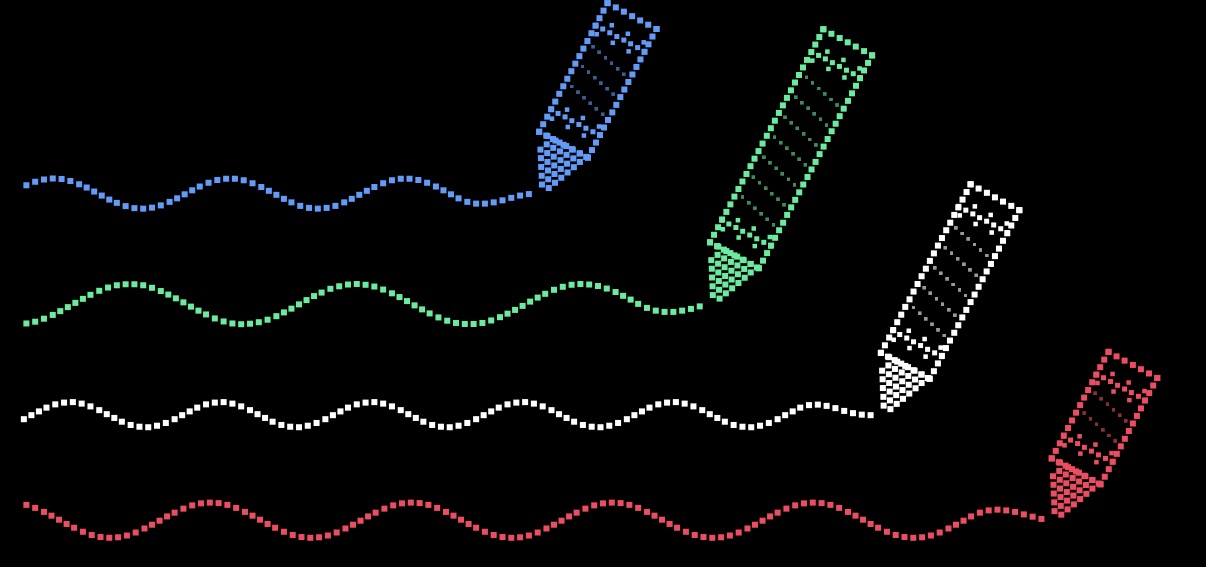
here are some examples i did..i´m always happy to deliver some gfx, but i think it´s better to let all controls and text out for the coders…so if anyone want´s an image, i could draw it. (everything is done in illustrator and cleaned up with SVG Viewer
and a last one:
could somebody please provide a fully svg dump from the original op-1s..specially the stock font etc. that would be cool!
We can’t redistribute or use stock OP1 font anywhere.. that’s why previews on op1r github are so ugly, they are using placeholder font 
Thank you everybody here for your hard work on the OP1 in the past couple of weeks.
I was wondering how are people planning to use the midi sequencer? I wasn’t planning to use it to control external gear but wondered if it could be used to control the currently active drum and seqiencer, effectively giving you a couple more tracks over the tape tracks. I’m not sure if that was the intended application though. A couple of limitations i ran into was not being able to assign say track 1 to drums and track 2 to synth. The ability to pan tracks would be nice as well.
I also couldn’t wok out how to use midi tracks tp record knob movements. Is that possible?
Also, I’d love to see the OPUS Dimension synth and reverb added to Hundekraft. They really are superb sounding. Also the ability to load 2x fx as you can on OPUS would be fantastoc, it really does open up sound desigm options enornously. The chord mode there is also excellently implemented.
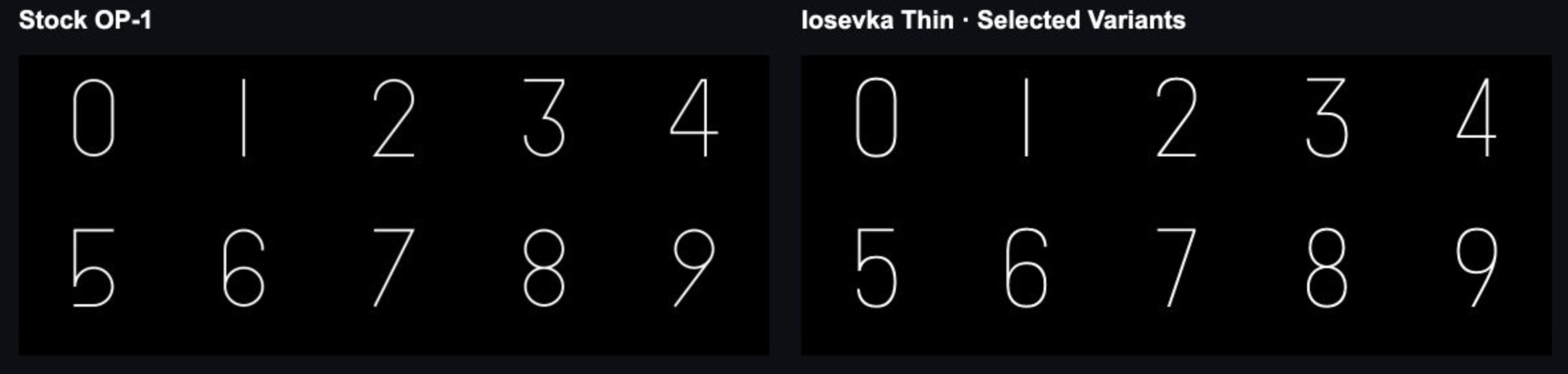
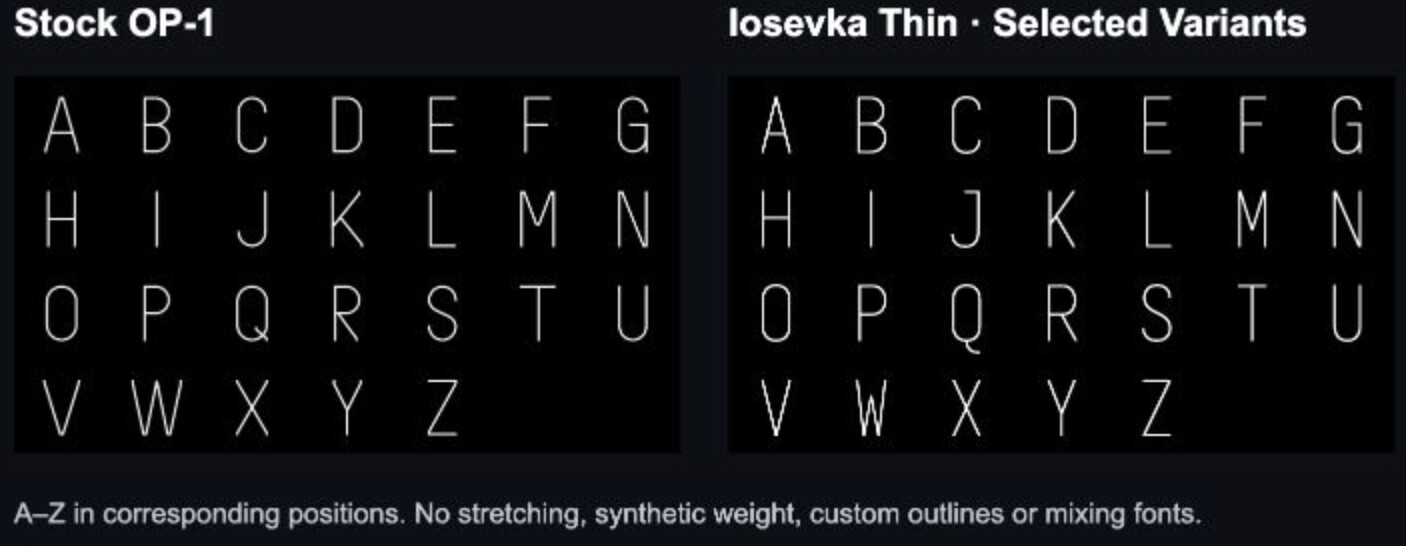
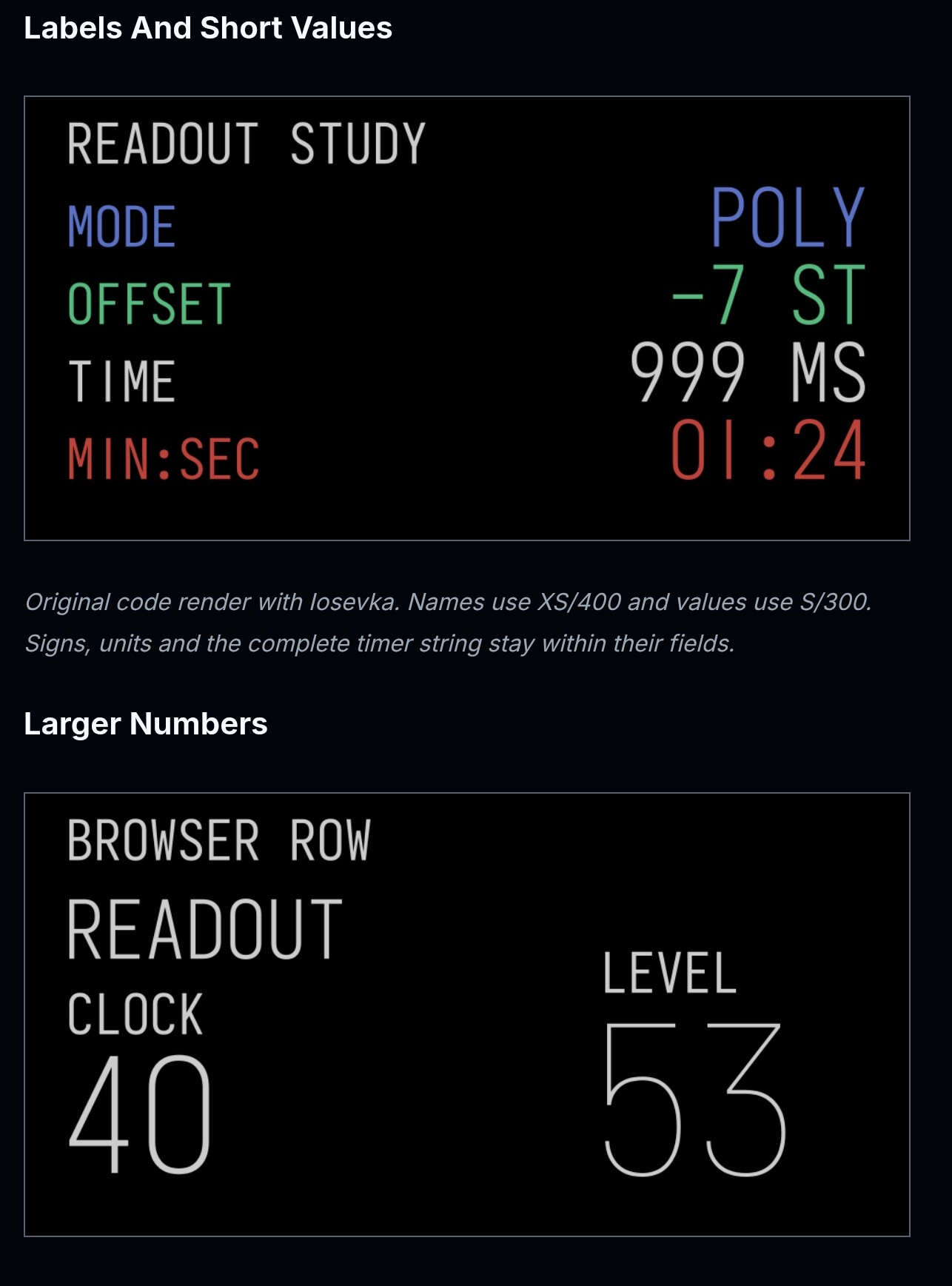
Iosevka Thin font seems to be one of the closest open fonts to the stock OP-1 TE proprietary one. It’s not a 100% exact match, but it’s quite close.
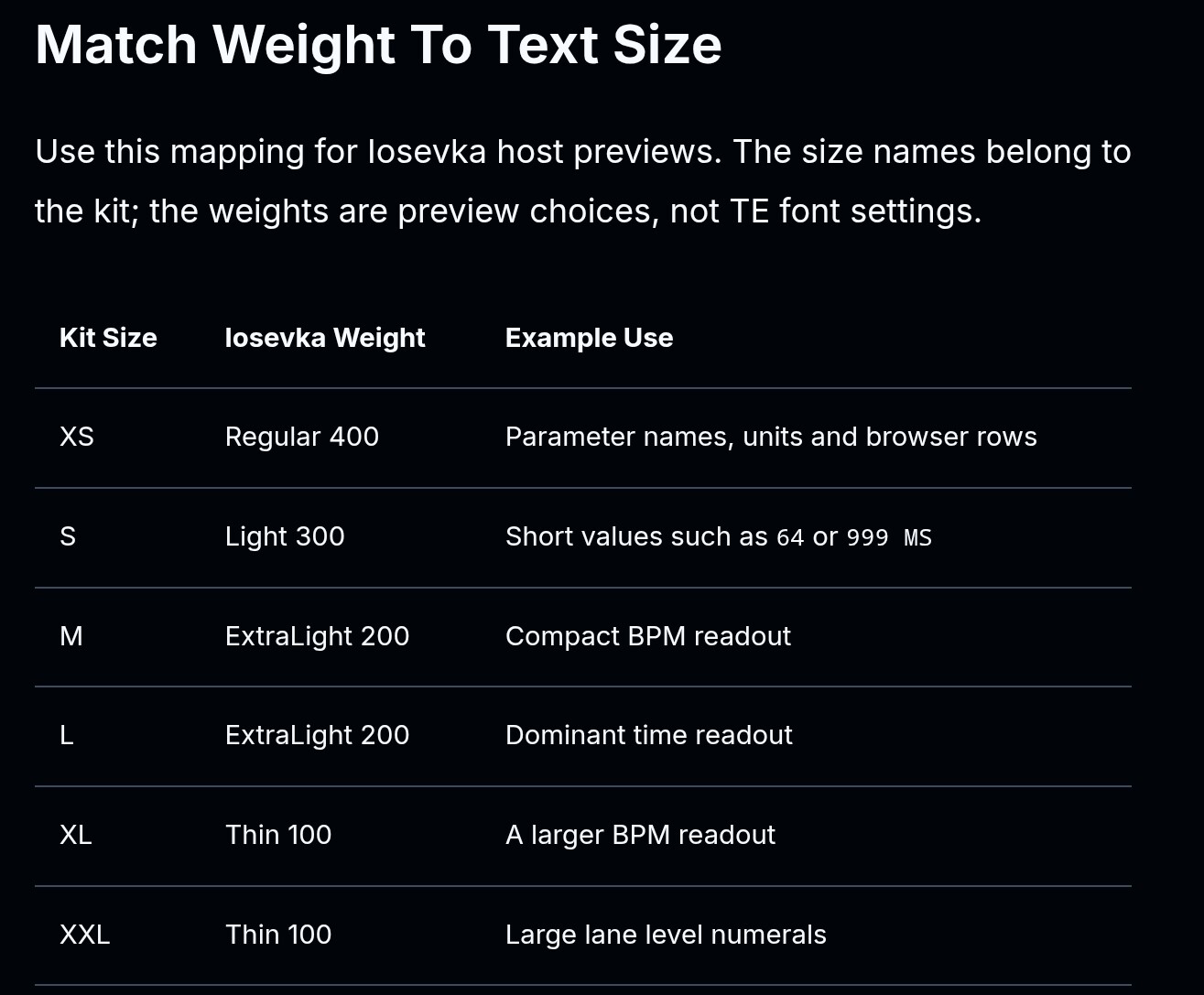
Edit: Seems its best to use different font weights depending on the font size on screen (xs, s, m, l, xl, xxl). I’ve updated the guidance in the OP1 Design Kit around this too.
individual midi tracks can go to different midi channels, this way you could control different instruments.
edit: sorry, I misunderstood your question. Internally I is the current instrument, and you can’t have active both synth & drum at the same time. You can workaround this by recording synth to trk1, then drum to trk2 and just manually mute/change destination of the midi track depending on what you have currently active. A bit inconvenient but will work.
you can’t record knob movements but synth/fx parameters can be controlled with CC messages - use midi controller, record that and bam you have an automation.
edit2: maybe I could add OP1 midi source/destination, that would allow automating the whole thing with recorded CCs because individual keys on OP1 have CCs too. Sounds like completely stupid and crazy and fun idea lol.
Just when you take a brief look : would this one be to heavy for OG’s CPU, too? Or is it more the other ones I posted earlier, like resonator and time chamber?
I’ve put together a design kit for anyone building synths, effects or tools for the original OP-1:
It came out of building GIN. I kept making the same screen decisions (where a value goes, which encoder owns what, how big the text needs to be) and wanted to write them down once. It covers:
A lot of it builds on what’s been shared here. Thanks to @maxaw for the layout notes and @popcorp for the graphics notes and op1r, plus op1hacks, @Hundekraft and Maiko. Everything is credited on the Credits page.
If you build with a coding agent, the kit is also a skill you can install into your firmware project:
npx skills add squarewave-studio/op1-design-kit
Pick op1-design and your agent (Claude Code, Cursor, Pi or OpenCode). You need Node.js 22.20 or later. Then ask it something like “use op1-design to design a resonator screen” and it’ll use the kit’s rules and examples.
It’s v0.1 and a draft, so I’d like to know what’s wrong or missing. Issues and PRs are open on GitHub. It’s MIT licensed, unofficial and not affiliated with TE.
Great work here, it’s wonderful to have new life breathed into this now pretty old box of delights.
My installation is a bit quirky right now though: initially I had several files (6 I think) not loaded (persisted on restarts). I went back to the workshop, tried again; after a new install/update, I had 9 missing!
I told it to remove all the ones showing up as problematic. It said it did, and when I switched on, some of those were still present. I have had Dots appear and disappear (and one of the stock seqs show up instead when I select Dots from the list), and several of the synths (Aether - I saw it briefly and played it, then it disappeared). Drum+ is no longer there, but I did use it earlier.
Clearly something is corrupted. Am I best off reinstalling the stock firmware and starting from scratch?
Edit: I must be doing something wrong. I formatted the OP1, reinstalled the (new) firmware, dropped the presets into the synth folder, then ran the update on the workshop.
“9 plugin files not loaded”. The workshop isn’t completing the verification. When I refresh, it shows up the following error:
“The previous update is not verified. Retry verification, resume the update, or cancel its pending files before using Remove / Undo. aether.knl: off — another file has the same name; arc.knl: off — another file has the same name; clouds.knl: off — another file has the same name.”
I like suggesting stupid and crazy ideas thanks for considering it.
Opus has some killerfeatures like the double channel effect etc. and the ability to switch it off and run a very vanilla op2.46 firmware without any new feature. i wish all mods are in a container format that every firmware framework can read, than all users would be able to collect and install their favourites mods without overclocking the whole system..every new feature is great, but to be honest there are just a few that works for me..the opus dimension is really great, the bitcrusher too!
Really looking forward to OPUS 2.0 seems like the dev is taking their time to fine tune.
I like your dott-kind of style