Oh vinyl. With a crackling fx would be something!
1 Like
These designs look good, but fonts are toooooo small, really. I suggest you to use this guideline:
1 Like
Yes, that’s what I have. It makes audio sound like it’s playing from a record. It layers in crackle, hiss and rumble, adds subtle pitch wobble and warm saturation and rolls off the highs and lows.
3 Likes
very good!
1 Like
Hey, for anyone who wants to modify or make plugins, I made a llms.txt your can point your AI at: https://hundekraft.github.io/op1-workshop/llms.txt
It includes the source for all plugins/SDK/core etc.
8 Likes
Thanks, already made 3 plugins for it. love it!
Got this error when updating skipping stuff.
But then I removed brass synth which I added as “my plugin”
Then it worked.
HOLD and TABLE OFF are awesome festures!!!
HOLD should be universal for all sequencers imo, but its very nice to have it here.
next chapter 
Hi, with the help of some incredible folks, we have been able to patch OP XY’s firmware on 1.2.0 to allow for custom firmware. I am currently working on a unified SDK for community contributions so that we have a safe patching environment and it is easy for contributions new synth engines, sample players, FX, and player machines, while users can pick and choose what they want to include. Please stay tuned.
Currently I have derisked a 2OP FM machine, Braids port, as well as a new bitcrush effect, which will serve as examples in the upcoming repository for future contributors. Hoping to make the OP XY ecosystem even stronger, as it is such a wonderful piece of hardware.
The demo above shows a working version of Braids in the XY, with parameter locking on the models. All engines will slot into the default XY signal chain so you will be able to use the amps, filter envelopes, lfos, etc.
UI and UX are not final and have issues with alignment which will be resolved, just wanted to get the engines working.
someone found a dev mode on the XY that gave full access to the non-encrypted firmware and it’s now within a safe-shell so maybe drumline has been the last official feature addition as it will now simply take over, even if we start protesting, there’s now color on the screen 
6 Likes
iam nerding out on Maikos expression sensitivity settings that I would love to see them within your build and maybe the new @popcorp synths as he added the brassophone which is an interesting synth approach (maybe a new category as the dev is trying to emulate pretty neat acoustic instruments) 
don’t forget to make some sounds y’all, to balance the dopamine hits 
1 Like
Claude is working on getting all the latest op1r work in 
I can put the maiko expression in the backlog, would be easier if I had code, though.
4 Likes
ah sorry, that’s true
Thanks, and apologies for what’s probably user error on my part, but I’m still not getting much luck here. I had already done a format (option 8) and reloaded the stock firmware before I saw your reply.
I made a new build (all default options) in the workshop. Updated the unit to Hundekraft 3.0.3 - all good. I restarted the unit a couple of times after sitting on the tape screen as you suggested. I haven’t installed the presets yet - I was following the ‘quick start’ manual section, and that doesn’t seem to specify when to add them to the folder (the ‘Get started in 5 steps’ has this as the final step).
I ran the ‘Update OP-1’. It says’ ‘Your plugins are up to date’, ‘nothing to send’, ‘Files match, but previous changes still await device confirmation. Refresh after restart to verify.’
Refresh after restart: ‘The previous update is not verified. Retry verification, resume the update, or cancel its pending files before using Remove / Undo. c64arp.knl contents do not match; oxbow.knl contents do not match.’
I currently have I think all the new sequencers available; the Oblique Strats and all the new settings menus; midi sequencer. I have Gin.
But I have none of the new synths, and I don’t have Drum+
I appreciate all the missing instruments might be because I haven’t added the presets perhaps? But I didn’t want to add them yet in case I’m doing that at the wrong stage.
Could this be a browser issue maybe? Is it worth me trying a different browser or computer?
Relevant
Hi, succesfully installed Hundekraft 3.02 and checked out most features - totally amazing work!! Pretty quick to overload the system though, with drop-outs and slowed down/ glitchy sequencing once certain combinations of synths and effects are used. Would be great if that could get fixed somehow, but it’s stunning as it is.
Unfortunately, i had a crash tonite and now it won’t boot no more - hope somebody can help?
Here’s what happened:
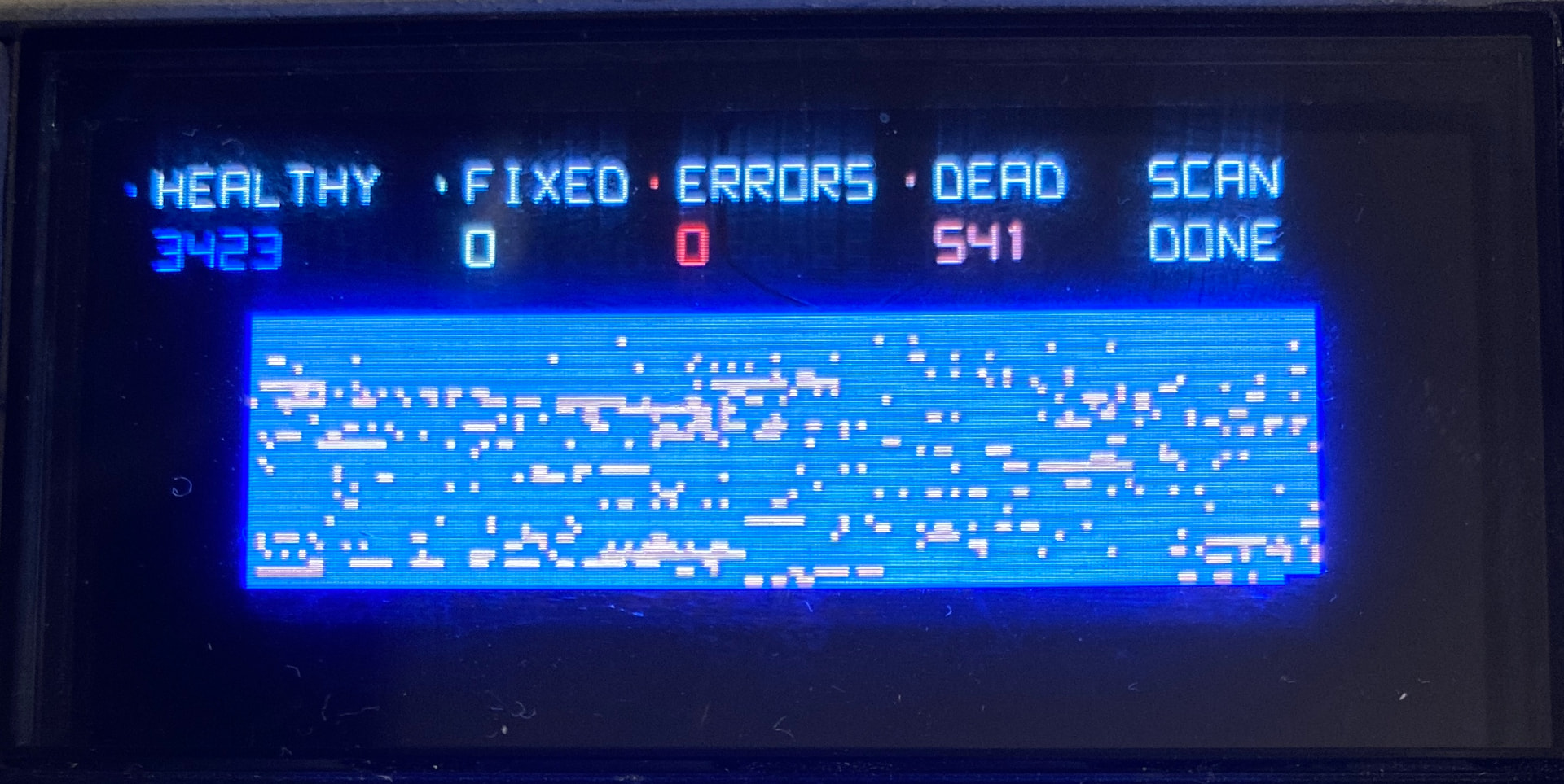
did the file scan, lots of dead bits - no idea what that means or if i can do anything about that?
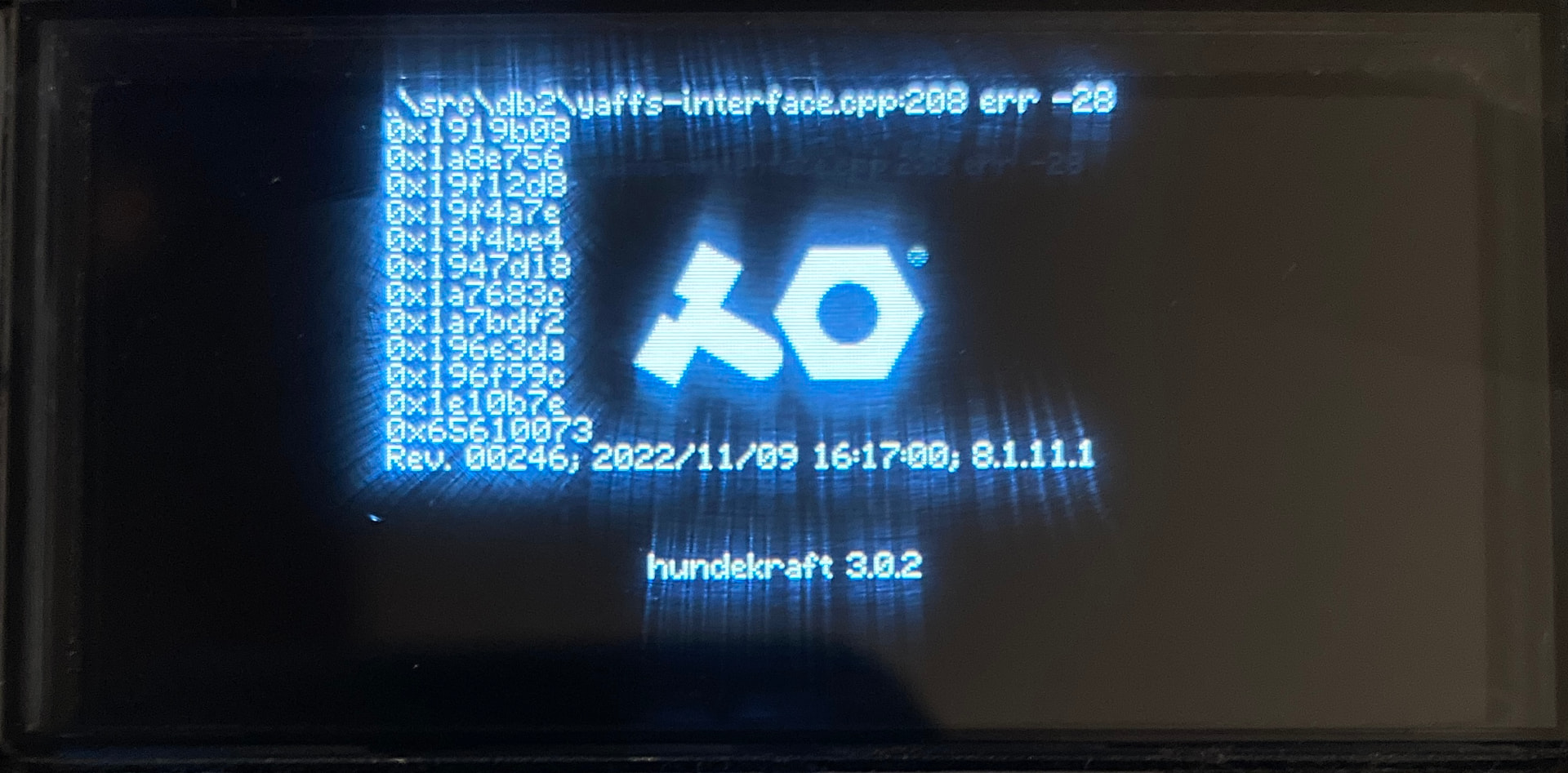
after the file scan, i unplugged while in disk mode, because it didnt show on my macbook - guess that was a mistake?!
Now it freezes with the screen above on each power-up.
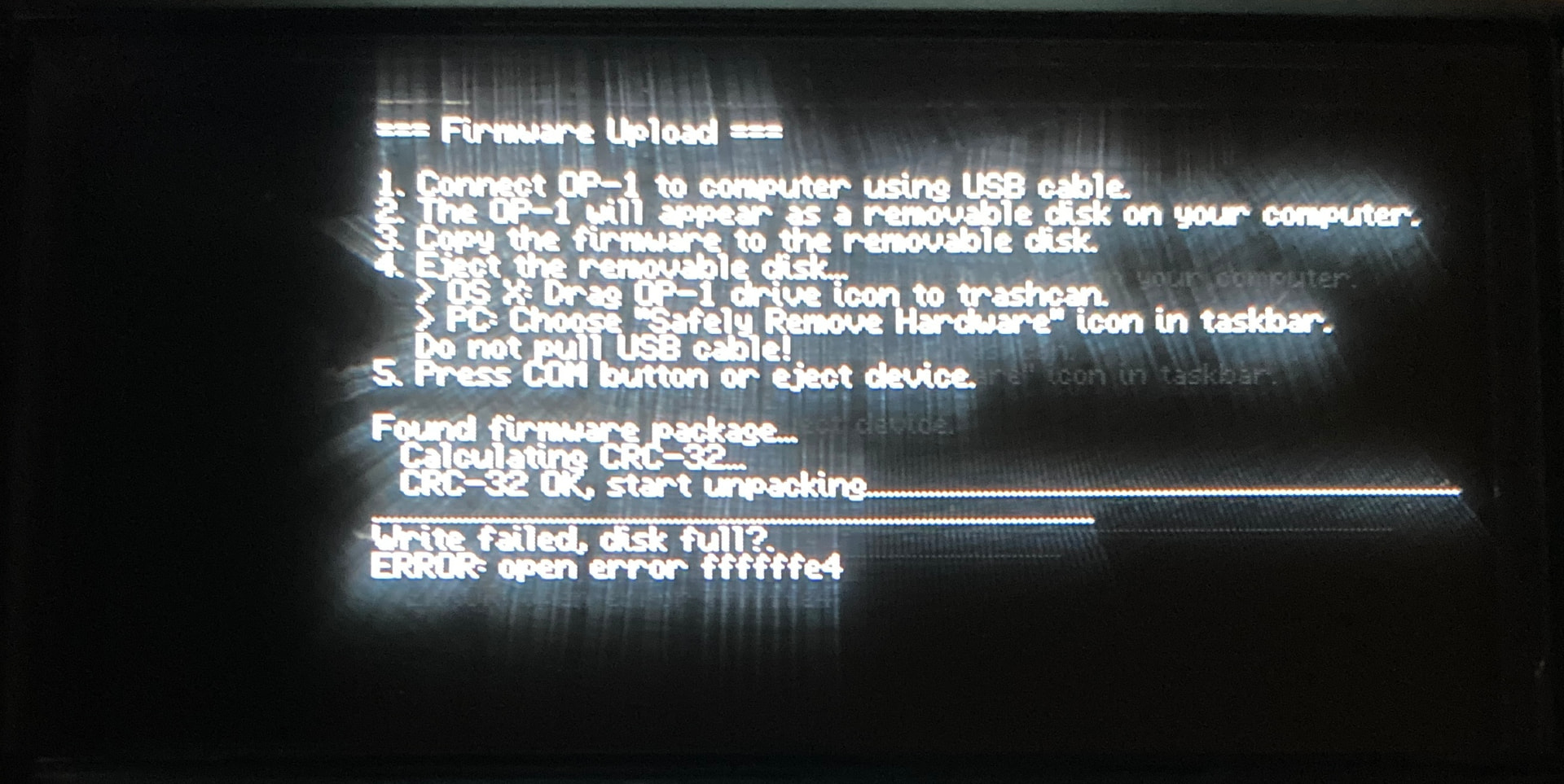
tried to re-upload the HK 3.02 fw, but failed with this screen…
Puzzled what to try next -
Any help would be apreciated!!
the first thing i would try is a factory reset
1 Like
i was fighting claude a lot last week. constant safety stops. really infuriating. it seems to have gotten a bit better. im not absolutely confident, but what i’ve been doing is requesting handoff bundles more frequently and opening them in a new session with memory off. i still might switch to something other than claude if it begins happening again
@HNNNG Sorry about that! The pictures explain it, though. Your flash is full.
err -28 on the boot screen is the file system saying “no space left”. The OP-1 writes to its database on every boot, so it crashes when that write fails. The firmware upload fails for the same reason (“Write failed, disk full?”), because there’s no room to unpack the firmware.
The dead blocks are part of it. 541 is way too many to be real hardware faults: the chip is only allowed about 80 bad blocks from the factory, and your scan found 0 read errors. Most of them were probably retired by a bug in the stock firmware that kills good blocks while you record to tape. 3.0 stops that from happening, but blocks that were already marked stay lost, about 68 MB in your case. That plus your tapes and sounds is enough to fill it up. Pulling the cable in disk mode probably didn’t cause this.
What should get you going again:
-
Hold COM while you power on to get the boot menu.
-
Choose format (option 8). This erases everything on the unit: tapes, sounds, all of it. A format should also give you those dead blocks back.
-
Upload the firmware again (stock or 3.0.x).
Sadly I don’t know of a way to copy your files off first while it won’t boot.
Did you have Four tapes in your build? Right now it only checks free space when you press REC, so one long take on tape 2–4 can fill the flash almost all the way. I’ll make it check during the take too and keep more space spare, so a full flash can’t stop the OP-1 from booting again.
2 Likes
Try “format drive” from the boot menu, and then install stock firmware 246. That should fix it. You can then try Hundekraft or other CFW again.
1 Like
Thanks for getting back!
After formatting the disk, installing the fw worked as it should and now there are zero bad blocks in the file overview 
Might even be a little better in performance, but maybe i’m imagining that 
Phew…

2 Likes
Is everybody else getting the Sampler tools working? I’ve tried encoder presses but not getting it to work. Im still on 3.0.0.