Hey everyone! I’ve been working on a little chord companion for the original OP‑1 called BLONDA. I mostly use it to play chords on other hardware synths, and it’s become a fun part of my setup.
It’s still a work in progress, but if anyone would like to give it a try, I’d love to hear what you think, any feedback or ideas for making it better are very welcome! =)
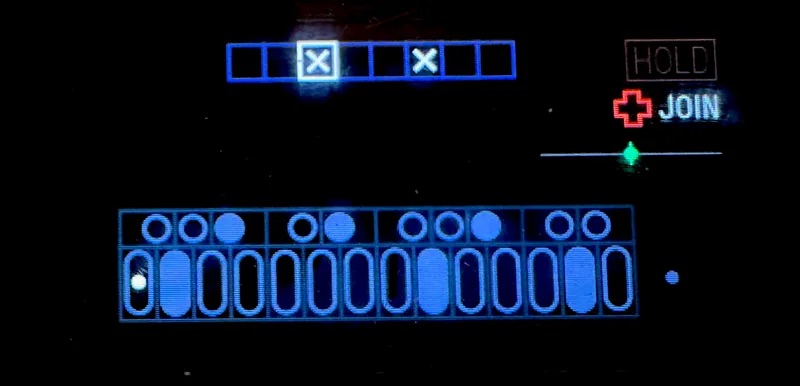
BLONDA is a creative chord sequencer for the original OP‑1. Turn single keys into rich chords, capture your own voicings, and add movement with strum and arpeggiation. Play the OP‑1’s internal synths or use it as a chord companion for external MIDI instruments.
BLONDA - Features & controls · 0.18.6
Playing modes
-
NOTE: single-note playing with chromatic, minor and major scale choices.
-
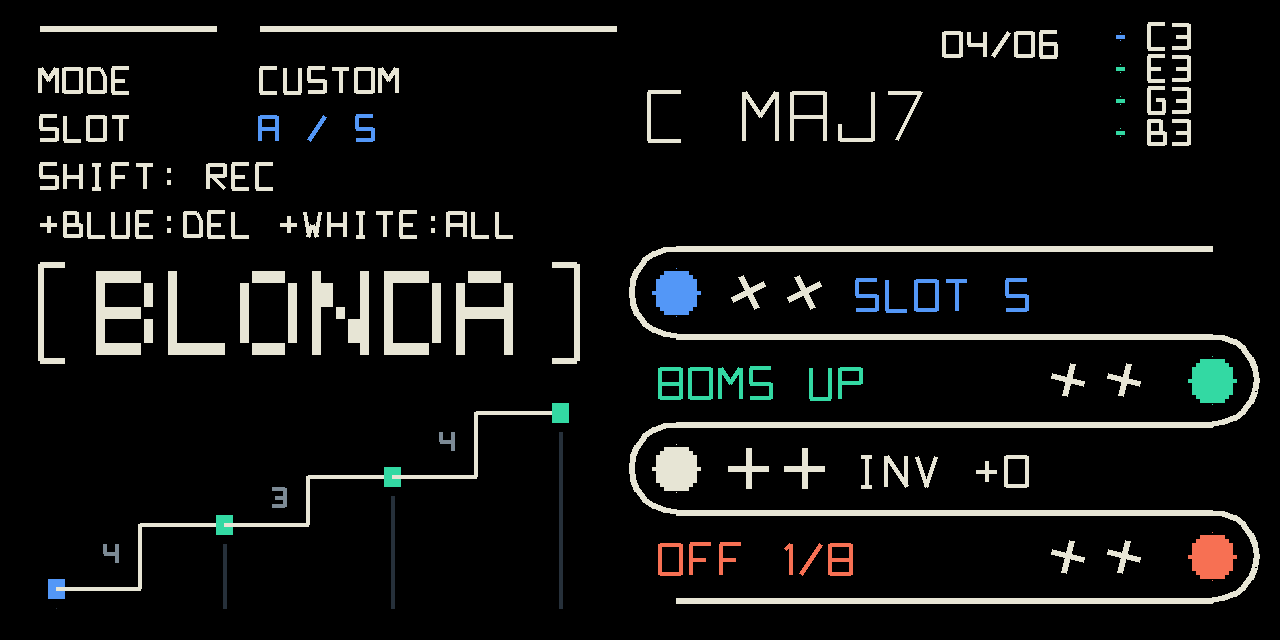
CUSTOM: 24 user-defined chord slots, each storing up to six notes. Empty slots play single notes, allowing melodies alongside chords.
-
PALETTE: eight banks of ready-made chord voicings.
-
SPLIT: minor chords across the lower octave and major chords across the upper octave. Holding Shift when triggering adds sevenths.
Main controls
Blue
Turn to select a scale, chord slot or palette bank. Click to cycle through the four modes.
Green
Turn to adjust strum spacing: 0–240 ms between notes. Click to select UP, DOWN, ALT or RANDOM direction.
White
Turn to adjust inversion from −2 to +2. Click to reset inversion.
Orange
Turn to select the arpeggiator rate, from 1/1 to 1/32T. Click to toggle the arpeggiator.
Strum spreads a chord’s notes over time. Arp repeatedly plays individual chord notes at the OP‑1’s tempo. Inversionrearranges the chord’s voicing without changing its underlying harmony. ALT alternates direction with each new trigger.
Shift controls
-
Shift + orange turn: extra transposition, −2 to +2 octaves.
-
Shift + green turn: CUSTOM active-note limit: 6, 8, 12, 16 or 24 distinct pitches.
-
Shift + orange click in NOTE: toggle MIDI FULL.
-
Shift + orange click in SPLIT: lock or unlock sevenths.
-
Shift + blue click in CUSTOM: delete the selected chord.
-
Shift + white click in CUSTOM: delete all 24 saved chords.
Higher note limits support external-synth chord playing. They do not increase the OP‑1’s internal six-voice polyphony.
Custom chord recording
Holding Shift in CUSTOM captures up to six different notes from the OP‑1 keyboard or an external MIDI keyboard. Releasing Shift saves the chord and advances to the next slot.
The new MON feature adds outside-range external MIDI audition during recording, with both octave offsets at zero.
MIDI FULL
Extends external-keyboard playing beyond the stock two-octave range in chromatic NOTE mode, with ARP off and both octave offsets at zero.
The added notes play internally, without extra MIDI OUT echo or sustain-pedal support.
Display
-
Chord name: identifies the outgoing note combination.
-
Note list: shows the six lowest active pitches; +N indicates more.
-
Attack dots: flash on note attacks and remain visible while held.
-
Intervall: visualises the semitone gaps between active notes.
-
REC: indicates chord recording.
-
MON: indicates the added recording-monitor path is ready.
-
VOICE LIMIT: warns when CUSTOM holds back or borrows notes, not simply when the selected limit is reached.
Release tails are not counted as active notes. The new 0.18.6 monitoring features still need physical-device confirmation.
DOWNLOAD
 Great work!
 which do you folks like most?