After weeks of continuous development, testing and experimentation, we finally cracked one of the biggest limitations between Teenage Engineering hardware and iPhone/iPad.
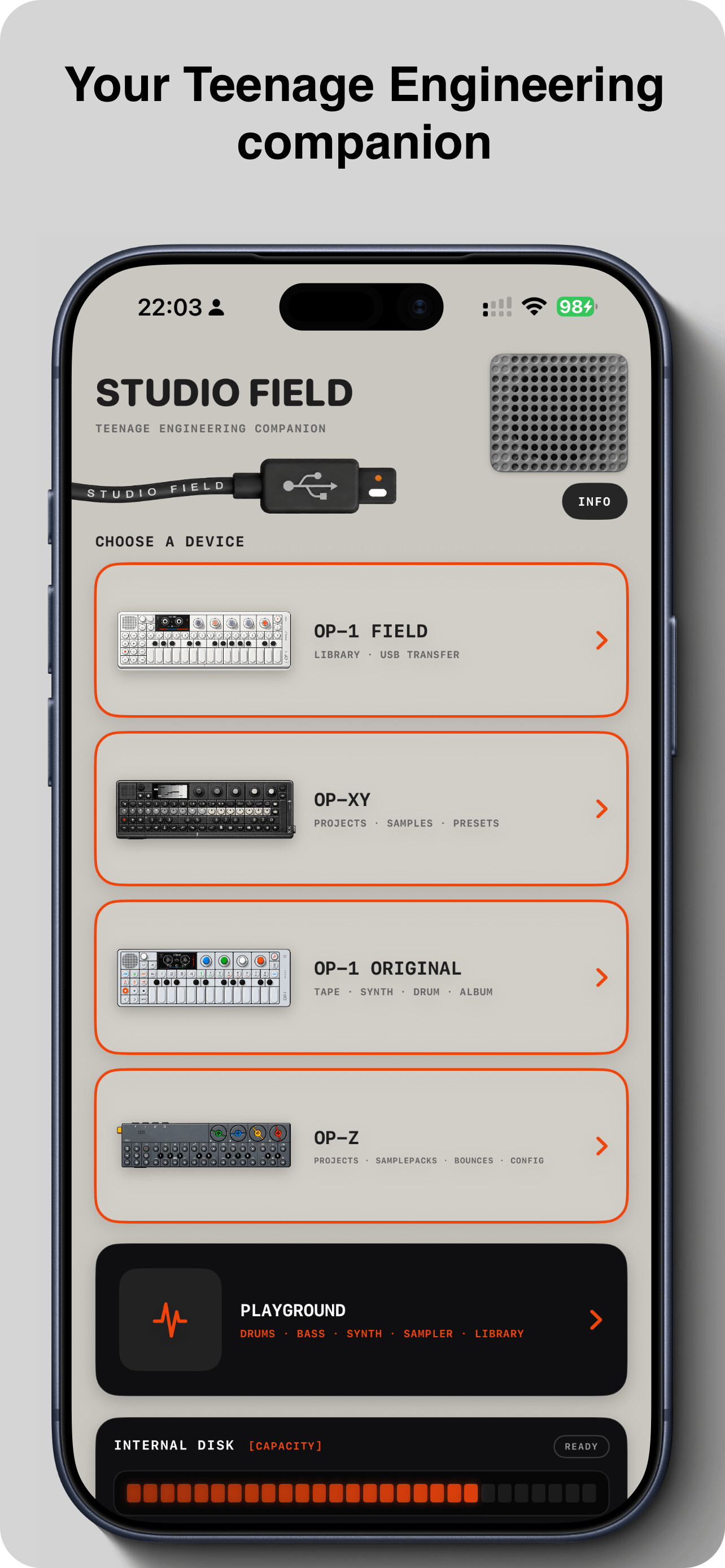
Studio Field can now communicate directly with OP-1 field and OP-XY on iOS (iPhone/iPad) - including full MTP device access!
This is a big deal.
OP-1 field and OP-XY use MTP as their primary file-transfer protocol. Until now, this has effectively kept full device access on the desktop. Teenage Engineering’s own Field Kit is Mac-only, and their documentation states that direct full-device file transfer is not available through an iOS or iPadOS app.
Studio Field changes that 
For the first time, you can connect an OP-1 field or OP-XY directly to an iPhone or iPad over USB-C and actually work with the content on the device.
No Mac in between.
No PC in between.
Just your Teenage Engineering device, a USB-C cable and your iPhone or iPad.
And we didn’t stop there.
Studio Field for iOS now supports:
• OP-1 field - tapes, synths, drums, mixdowns, transfer, playback, backup and restore
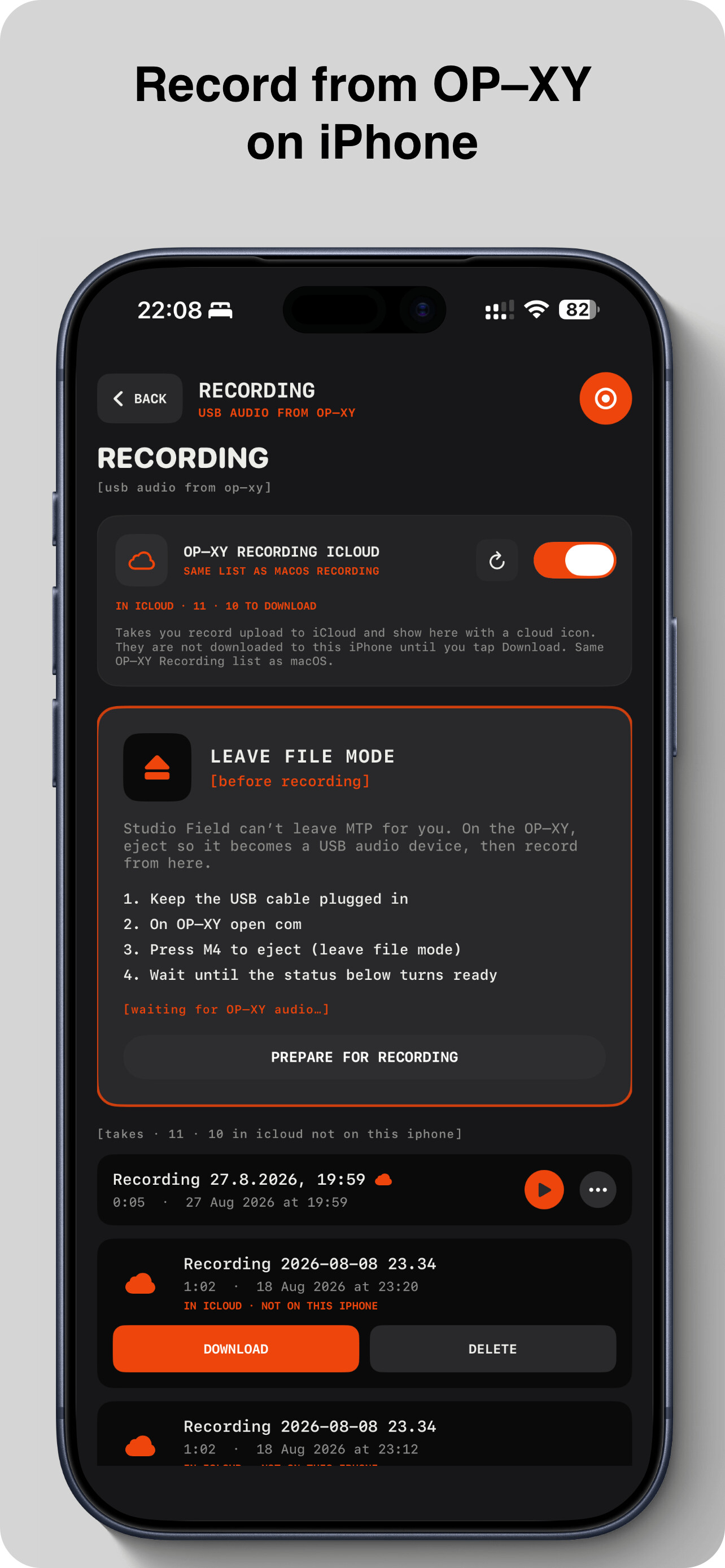
• OP-XY - projects, samples, presets, backup and restore, plus direct USB audio recording to iPhone/iPad
• OP-1 Original - tapes, synths, drums and albums, backup and restore
• OP-Z - projects, sample packs, bounces, configuration, backup and restore
There is also something special for anyone moving from an Original to a Field:
Studio Field can convert OP-1 Original tapes into OP-1 field format directly on iPhone and iPad.
 And your Mac, iPhone and iPad work as one Studio Field ecosystem. (iCloud Sync)
With iCloud Sync enabled, your Studio Field Library and device backups sync between the Mac and iOS versions. Transfer something on your iPhone and continue working with it on your Mac — or vice versa.
No subscription - I’m not a fan of subscriptions myself
Studio Field remains a one-time purchase, and it’s a Universal Purchase.
Already own Studio Field for Mac?
The iPhone and iPad app is already yours — free.
Buy Studio Field on iPhone or iPad?
You get the Mac version too — free.
One purchase. Mac + iPhone + iPad.
This has been one of the most technically challenging parts of Studio Field so far, and seeing an OP-1 field and OP-XY communicating directly with an iPhone still feels a little unreal.
But it works.
And we’re just getting started.
Studio Field is under active development, and the past few weeks in particular have involved a huge amount of continuous work, testing and experimentation to make all of this possible.
I’m very active in the Teenage Engineering community, so if you run into anything, please let me know. You can reach me directly through the contact form under Info/support in the App or through social channels. If an issue comes up, I’ll do my best to investigate it and get a fix out as quickly as possible.
I’m also always open to new ideas and feature requests. A lot of Studio Field has grown directly from conversations with Teenage Engineering users, so if there’s something you’d love to see the app do, tell me.
And one small favor: if you’ve been using Studio Field and you’re enjoying it, I’d be incredibly grateful if you could take a moment to leave a rating or review on the App Store. It genuinely helps a small independent App like Studio Field reach more Teenage Engineering users - and helps me keep pushing the project forward.
Thank you to everyone who’s been testing, sending feedback, reporting issues and supporting Studio Field so far. 
More devices, more workflows and more features are coming!
Studio Field for iPhone, iPad and macOS is now available on the App Store.
Studio Field


 Both the macOS and iOS versions of Studio Field support adding/importing samples to the OP-1 field
 i didn’t work for me on iPhone SE (the last model using lightning) and iOS 26, the OP-1 field recognizes the host but won’t start MTP or even DISK modes, using an Apple USB-C to Lightning cable, i tried a few times but no success.