Let’s see I guess. With all the new product releases at Superbooth and NAMM, hoping that the price negatively will subside as there are lots of other products to talk about. If no new content comes out in the next week or 2 though, then something is up.
With Jeremy Blake being part of the TE Pixel app launch, I’m not sure it’s a synthfluencer/TE problem thing.
Guess what? My OP-1 field has bug issues and I am trying to return it and they are not even responding to me. I also don’t think that the only repair shop in the US even has parts for the OP one field yet. So what am I supposed to do? I just paid $2000 for an instrument that doesn’t work properly and they’re not even following through with their return policies.
Mine has bug issues and I am trying to return it and they are not even responding to me. They better respond to me within the return time. I have all of this documented.
I had issues with TX-6 mixer the day I got it at home. I contacted with them via mail and the truth is they replied back very quickly. They told me about getting a replacement unit. And I began the process. The gave me an UPS label to send back the unit so they could verify and after almost three weeks of process… today/tomorrow UPS will ring my door bell to bring the replacement unit.
OK, thank God that worked out for you. I hope they get back to me and it all works out because this thing was obviously incredibly expensive and it would be a crime to not have it replaced or reimbursed.
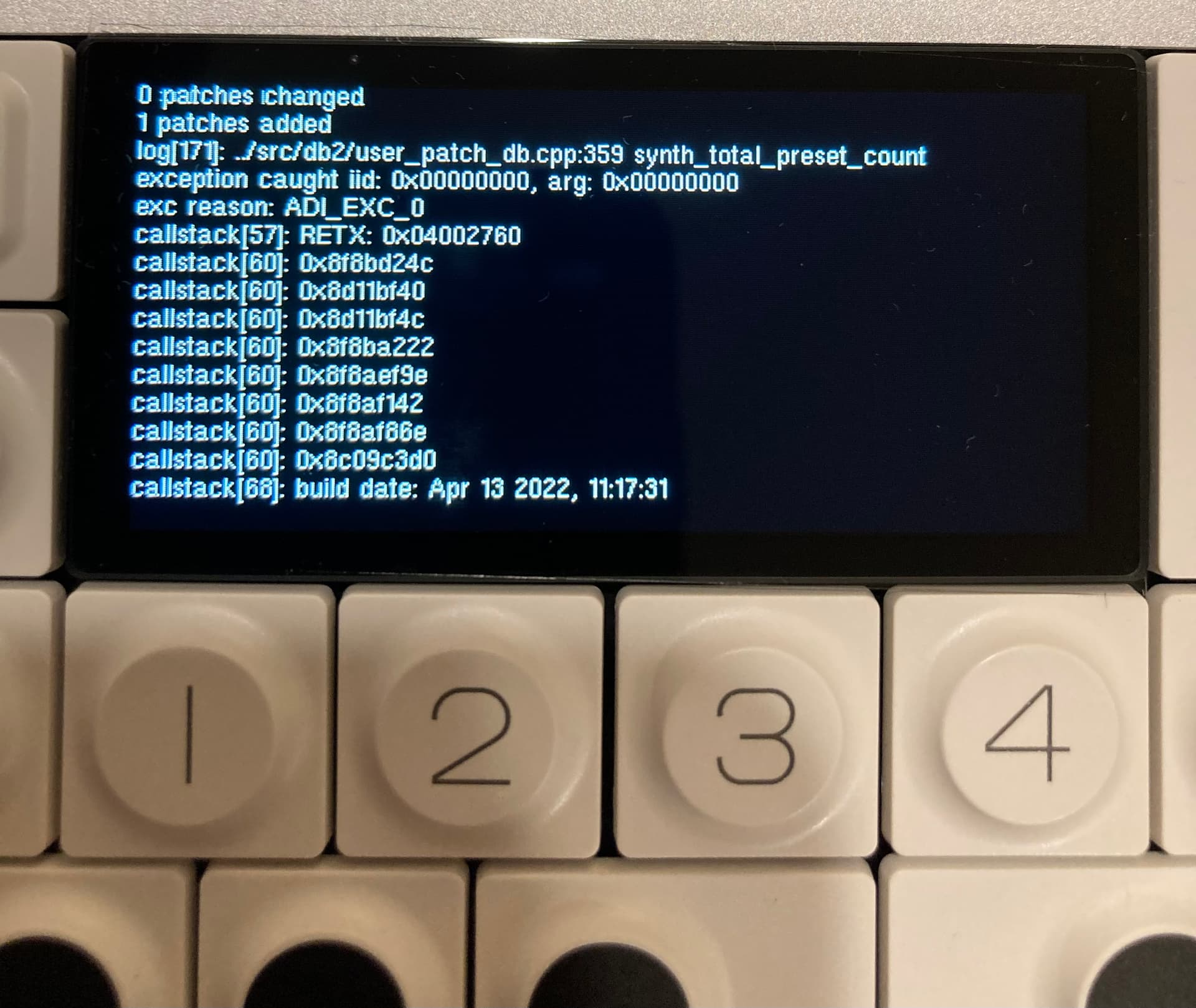
It won’t save snapshots, or it takes me about 40 or 50 sample saving attempts literally before it will save one snapshot. Until I can finally get one to save, the snap shot will immediately revert back to whatever synth sound it was on previously in the sampler. It’s just too frustrating and ridiculous considering that this thing should work 100% upon arrival and the sampling capabilities are pretty much half of the appeal of this instrument. Also, I can drag the very few snapshots that I was able to get onto my desktop but as soon as I try to drag one of these snapshots from my desktop back onto the OP one it crashes and freezes and displays all of this code.
Before you go through the heartbreak of the RMA process, and long wait times, try to restore to factory settings, and install the latest firmware. Sounds like a software issue, to me.
Wow! OK so with installing the latest firmware half of my problems are solved. I may try to do a factory reset and then updated to the latest firmware to see if it fully solves both problems. So at least now even though it takes me a ridiculous amount of time to save a snapshot onto it, the snapshots that I export it on my desktop are able to be put back onto the OP one. Before it wouldn’t let me put saved snapshots onto my op-1 without it crashing. I already have 4 or 5 snapshots that I love for songwriting like a solid piano, and vibraphone sound etc… so even if it gets too arduous to keep putting my own ones on here I can just download other peoples sample packs. I cannot thank you guys enough. Faith restored in OP-1! My software wasn’t even on like 1.1.1 it was like 1.0.0 or something.
Glad things are looking up. Are you trying to move files created on the original OP-1 onto the Field? I’m a little unclear on what you’re saying, but I can imagine that they might not be 100% compatible, if that’s what you’re attempting.
Yea, it’s good enough for me to not want to send it back and use it as needed. I’m not moving files created on the original op-1 to the field. The only thing I’m still having some problems with is this. I’ll go to sampler, then get my line in ready and start sampling and save it. Then it seems as if the sample is on my OP-1 Field, but when I switch back to the snapshot that I just saved it reverts to what synth was highlighted when in sampler before I sampled anything, and doesn’t actually save what I had just tried to sample. It does this but if I keep trying it sometimes will finally save the sound I am trying to sample. It’s a little frustrating but honestly it doesn’t even matter because what was more bothersome and unacceptable was what was finally fixed by updating it. Before updating, I couldn’t even load OP-1 Field sample packs from my desktop onto the OP-1 Field hard drive without it crashing. So, not only was it difficult for me to save my own samples but I couldn’t even upload samples other people had created on the internet… Now I can upload any drum pack or synth sample from the internet with zero crashing. This is fine because with a little patience I can save my own and probably end up using better samples other people have created on the internet than I could save anyways…
Super excited to now enjoy this thing and will keep supporting TE. This thing is awesome.
I really appreciate everyones responses in helping me figure this out!
@Hal9000 so glad you seem to be getting there.
The reason for my original question (about what kind of issues you’re having) was to get an idea if they were purely software related issues.
These kind of things can often (not always) be solved either with a factory reset and/or a firmware update.
Ive been away from my keyboard for a while but luckily some other helpful folks on here suggested exactly what I would have suggested.